EN
04
How to insert the card
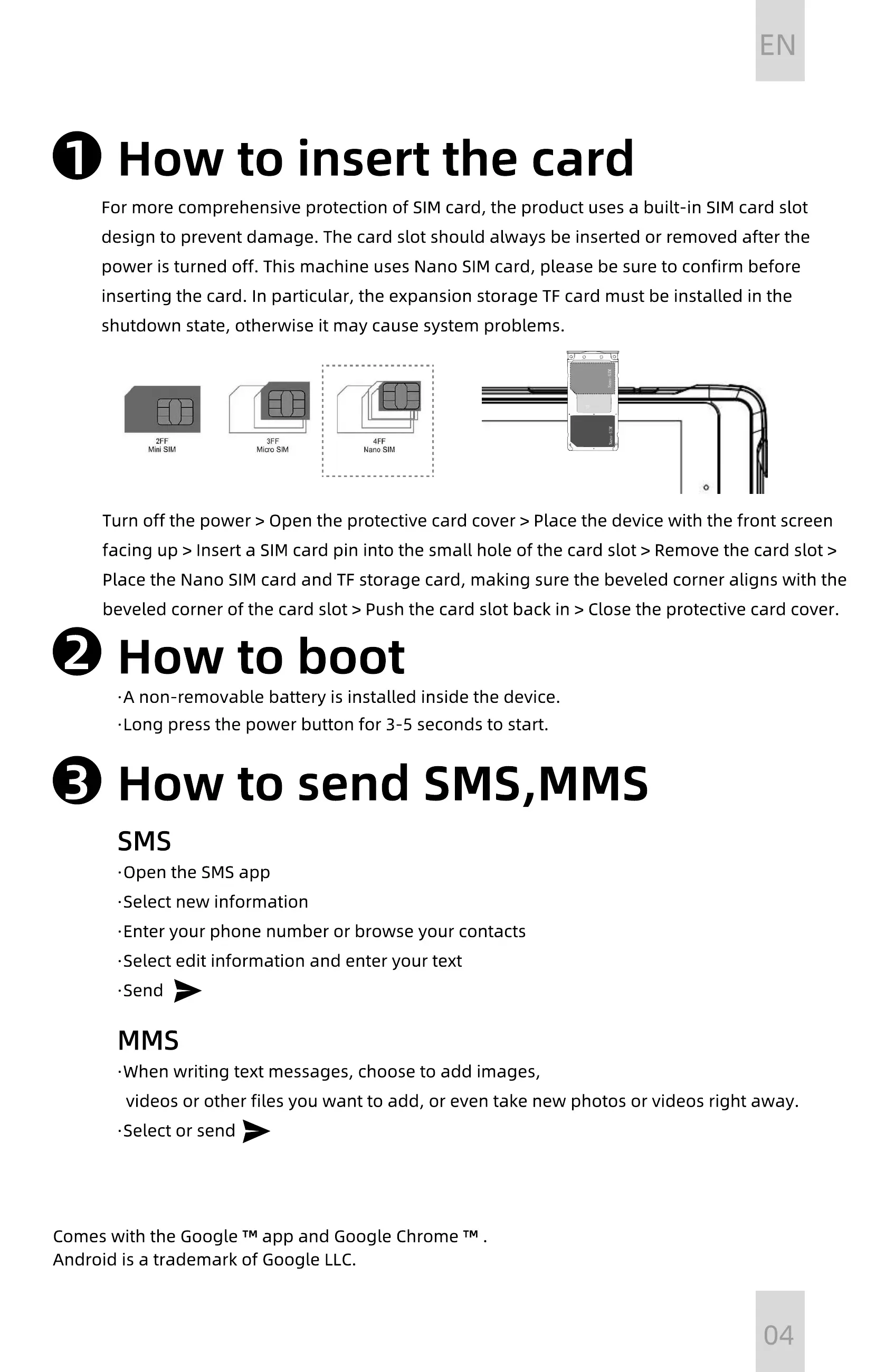
Turn off the power > Open the protective card cover > Place the device with the front screen
facing up > Insert a SIM card pin into the small hole of the card slot > Remove the card slot >
Place the Nano SIM card and TF storage card, making sure the beveled corner aligns with the
beveled corner of the card slot > Push the card slot back in > Close the protective card cover.
For more comprehensive protection of SIM card, the product uses a built-in SIM card slot
design to prevent damage. The card slot should always be inserted or removed after the
power is turned off. This machine uses Nano SIM card, please be sure to confirm before
inserting the card. In particular, the expansion storage TF card must be installed in the
shutdown state, otherwise it may cause system problems.
TF
Nano-SI M
Nano-SI M
1
How to boot
·
A non-removable battery is installed inside the device.
·
Long press the power button for 3-5 seconds to start.
2
How to send SMS,MMS
SMS
·
Open the SMS app
·
Select new information
·
Enter your phone number or browse your contacts
·
Select edit information and enter your text
·
Send
3
MMS
·
When writing text messages, choose to add images,
videos or other files you want to add, or even take new photos or videos right away.
·
Select or send
Comes with the Google
™
app and Google Chrome
™
.
Android is a trademark of Google LLC.


 To Next Page
 Loading...