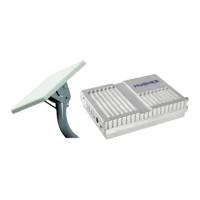
Terminal Setup Steps:
Step 1. Insert your Pivotel BGAN M2M SIM card into the 9502 terminal ................................................................ Page 3
Step 2. Connect the terminal to a power source .................................................................................................................. Page 3
Step 3. Connect the terminal to your computer .................................................................................................................... Page 4
Step 4. Turn on the power supply and point the antenna ............................................................................................... Page 4
Step 5. Set up the Pivotel APN and username ....................................................................................................................... Page 5
Step 6. Set up SMS remote control ............................................................................................................................................... Page 5
Step 7. Set up M2M settings: IP Ping Watchdog ................................................................................................................... Page 6
Step 8. Set up M2M settings: Always On Context ............................................................................................................... Page 6
Terminal Setup Tips & Notes .............................................................................................................................................................. Page 7
Inmarsat BGAN M2M Hughes 9502 - Terminal Setup Guide
pivotel.com.au
|
1300 882 448
Page 2


 To Next Page
 Loading...