www.setbc.org Page 2 of 3 January 2021
4
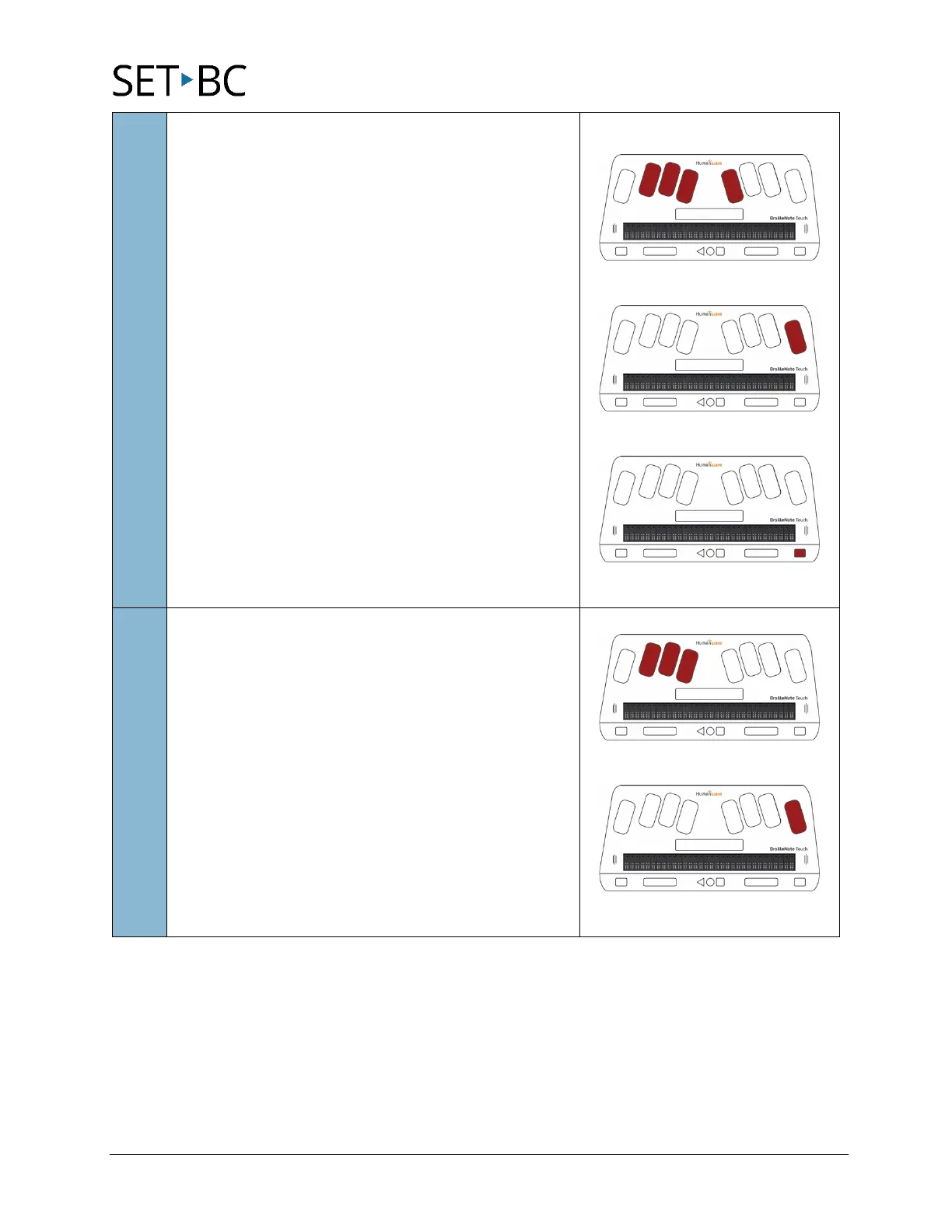
To navigate to and select
Preferred Braille Grade for
Entry
, use first letter navigation, press “
”
By default, the setting should be set to “Literary
braille.” The other option is for computer braille. If
you’re fine with “Literary braille,” do nothing.
To configure this setting, press
.
Tab to your selection using the
button and
press
or cursor routing key to select the
braille grade for entry.
P
ENTER
Next
5
To navigate to and select
, use
first letter navigation, press
To configure this setting, press
or cursor
routing key.
L
ENTER



 To Next Page