6
Operation
1
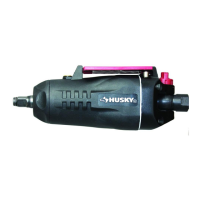
Operating the buttery impact
□ This 3/8-in. buttery impact is designed to operate on
90 PSIG. Lower pressure (below 90 PSIG) will reduce
performance of the tool. Higher air pressure (over 90
PSIG) raises the performance of the tool beyond its rated
capacity and could cause serious damage to the tool and
the user.
2
Changing the output torque direction
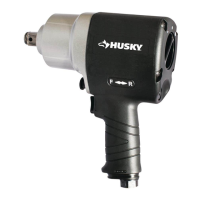
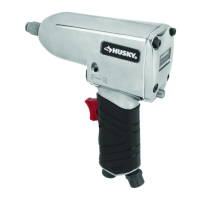
□ This tool features a reverse paddle lever (A) to change the
output torque direction to tighten (assemble) or loosen
(disassemble) the bolt or fastener.
□ Control the output torque direction by pressing the reverse
paddle lever to the F (Forward) or R (Reverse) position to
change the direction.
3
Controlling torque level
WARNING: Disconnect the tool from the air supply before
servicing or changing accessories.
□ This tool features a power management switch (A). Turn
the regulator until the desired output torque level is
achieved.
□ Turning the regulator to the left increases speed and torque
while turning it to the right reduces speed and power.
□ The settings on the regulator are only for reference and do
not denote a specic power output.
4
Tightening/loosening the bolts or
fasteners
□ Fit the correct size socket to the anvil of the impact
wrench.
□ This tool features a reverse paddle lever (A) to change the
output torque direction to tighten (assemble) or loosen
(disassemble) the bolt or fastener.
□ Control the output torque direction by pressing the reverse
paddle lever to the F (Forward) or R (Reverse) position to
change the direction.
□ To control power in either the forward direction or the
reverse direction, adjust the regulator knob (B) located at
the back of the impact wrench.
□ Hold the impact wrench with one hand and place the
socket onto the nut/bolt to be tightened or removed. Press
the paddle lever to start the operation. Release the paddle
lever once the nut/bolt is removed or tightened.
Swivel air inlet
(A)
(B)
(A)
(A)


 To Next Page
 Loading...