67
4.18 LATCH OPTION - TESTING
Where fitted, facilities are available to manually test the latch (solenoid valve) option
using buttons within the IDT tool. The latch can be opened or closed by the installer.
When plumbed into the upper chamber of the PRV, this will cause the PRV to switch
between being regulated, under control of the pilot valve, or to bypass the pilot valve.
Caution: The installer should be mindful of the water inlet pressure before manually
operating the latch solenoid to by-pass the pilot valve.
** Ensure the downstream water network and any connected device can
withstand the increase in water pressure before manually by-passing the
pilot valve.
** Ensure the outlet water pressure never exceeds the maximum specified
pressure at any connection to Pegasus2 or of the sensors supplied.
(When correctly set up and running under automatic control, Pegasus2 will
bypass the pilot valve only when the inlet water pressure is abnormally low (and
the outlet pressure requires being slightly boosted). Alternatively, when
configured for non-standard installation, this will be when the outlet water
pressure is low (and a further reduction is desired)).
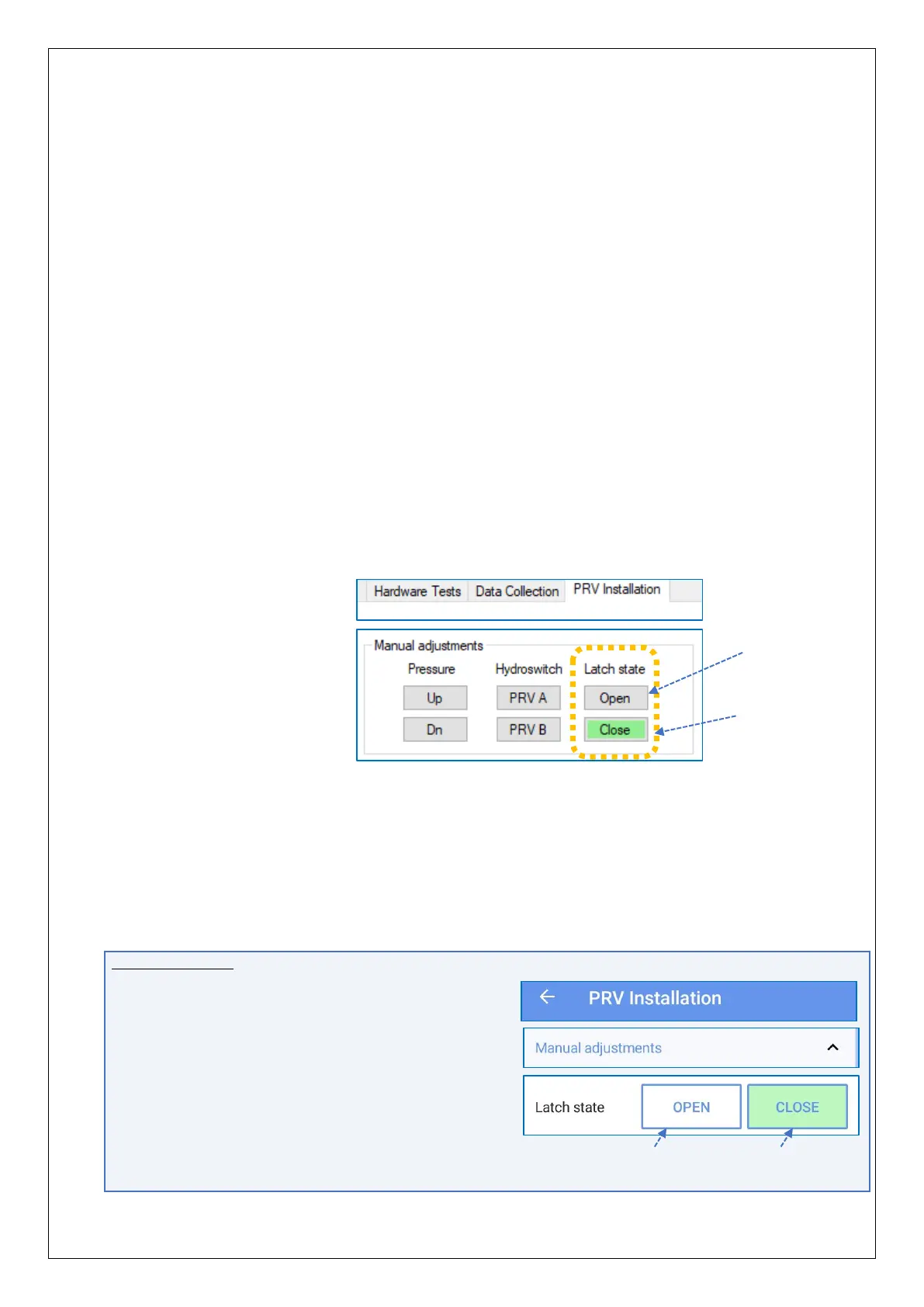
The latch circuit can be
manually switched using
the Open and Close buttons
within IDT.
Note: The buttons will not be
shown if the unit’s control
is set to “No Latch”
(see section 4.20).
• The latch state of “Closed” is normal operation, with the PRV regulated under pilot
control.
• The latch state of “Open” causes the pilot to be by-passed.
The upper chamber of the PRV is connected to the Pegasus “Vent” port (with
standard plumbing and operation), which allows the PRV to become more open.
This causes an increase in output pressure.
IDT App users:
Equivalent controls are located as follows:
(main) → Test Device → PRV Installation.
(If required, tap the Manual Adjustments line
to reveal the Open and Close buttons.)
Note: The Latch state buttons will not be shown
if the unit’s control is set to “No Latch”
(see section 4.20).


 To Next Page
 Loading...
