G. STATION PROGRAMMING 33
G.12 Function Key Assignment (Macro Key)
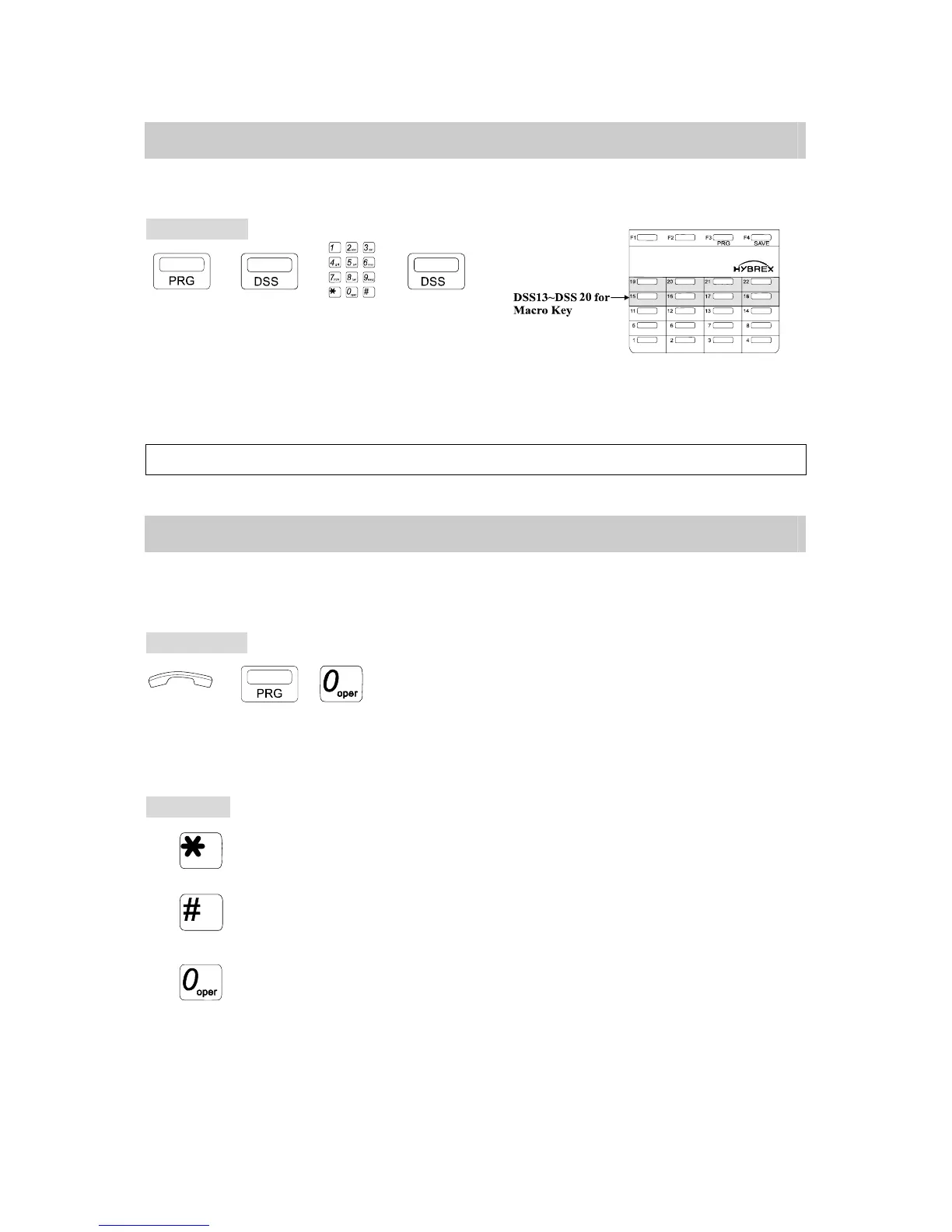
This program allows a user to store a special functions into an assigned DSS key.
Programming:
→ → →
. Press [PRG] key.
. Press DSS13~DSS20 key.
. Insert the operation steps of a special function that you would
like to store. (For example, # 0 for All Paging.)
. Press the programmed [DSS] key again to store the function.
Note: To use Macro Key function the DSS key must be assigned to CO or Extension. (For G1-824 only)
G.13 User Programming Help
This Program assists users to perform station programming by LCD help information, if the
user has no operation manual available.
Programming:
→ , . Handset on hook / [SPK] key off.
. Press [PRG] key then Dial [0]
* The LCD of the telephone will display help information.
Each Help Information example will be held for two seconds and the screen will go on the
next example.
To Operate:
. Press [*] key to Scroll the Screen Up.
. Press [#] key to Scroll the Screen Down.
. Press [0] to select and execute this function.


 To Next Page
 Loading...