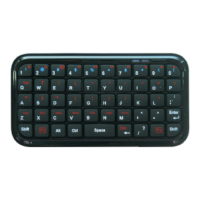
The BLUE led will flash.
3. Now the HYPE Bluetooth Keyboard is in pairing
mode and waiting for connection with your device.
4. Activate the Bluetooth function of your handheld
device and start the search for Bluetooth devices.
(For further details, please read the operating
instructions of your device).
5. From the list of devices found, select "HYPE".
6. Enter the passkey which is displayed on the
screen.
7. Then the Bluetooth Keyboard is connected to the
device successfully.
Note: If the pairing is not completed within 3 minutes,
your HYPE Bluetooth Keyboard will return to standby
mode. In this case, please repeat the pairing procedure.
Notice:
When the power is low, the blue LED will flash
intermittently. Please replace battery before battery runs
out of power.
4


 To Next Page