2.Getting to know the device
Power Switch
Turn on COLORSPACE
Push and hold the power switch for approximately three seconds, or until
the startup screen appears.
Turn off COLORSPACE:
Push the power switch lightly and select <Yes>.
Force shutdown of COLORSPACE:
Push and hold the power switch until a "Shutdown in Process" notification
appears.
LED Indicator
Steady yellow:
An error has occurred.
Flashing green:
COLORSPACE is processing data
(e.g. data transfer during USB connection, backup of memory card etc.)
CompactFlash (CF) Slot
For insertion of CF memory cards and compatible accessories.
Memory Stick (MS) / Secure Digital (SD) Slot
For insertion of MS and SD memory cards and compatible accessories.
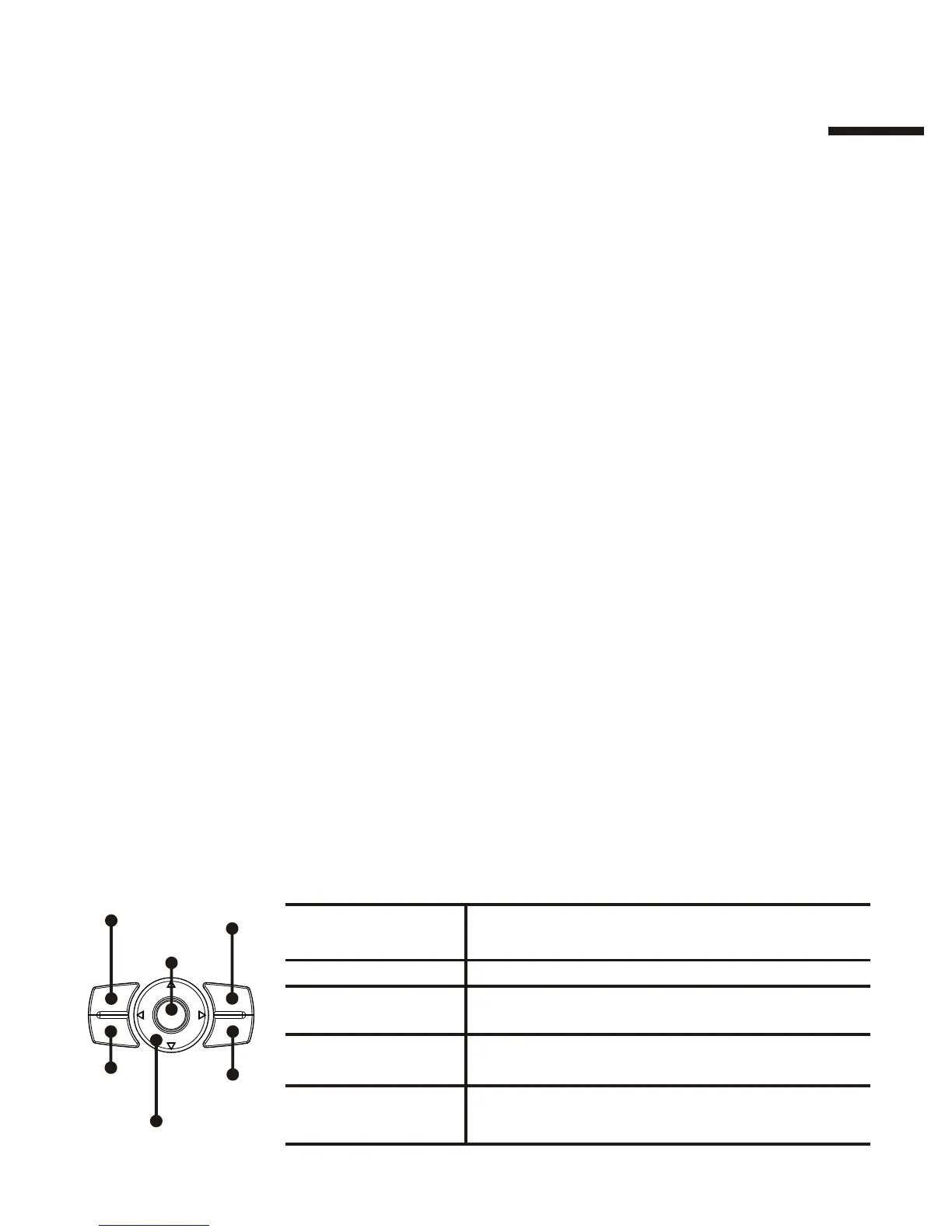
Buttons
I
5
Button Function
【OK】 Confirm a selection, activate a
function or rotate pictures
【Direction Pad】 Navigate pictures and options
【Menu】 Display the menu (when available) for
additional functions
【Exit】 Exit the current function and return to
the previous screen
【Zoom In】 Zoom in/out of pictures
【Zoom Out】
【OK】
【Directional Pad】
【Menu】
【Exit】
【Zoom Out】
【Zoom In】


 To Next Page
 Loading...