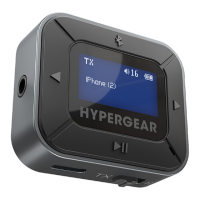
INSTRUCTIONS – RX Mode
1. Long press the button for 2 seconds
to turn on your IntelliCast Flight. It will
automatically enter Bluetooth
®
pairing mode.
2. Open the Bluetooth
®
menu on your phone,
tablet, or computer. Enable searching for
nearby devices.
3. Select “IntelliCast Flight” to connect and pair.
NOTE: it may take up to 15 seconds to appear
in the list of available devices.
4. Once connected, your phone, tablet, or
computer’s name will be displayed on your
IntelliCast’s screen.
Your IntelliCast Flight will automatically
reconnect to your phone, tablet, or computer
the next time RX mode is activated. If you
wish to pair your IntelliCast Flight to a
different device:
Press the button to disconnect, and then
follow the pairing instructions as usual.
Ensure the Mode Switch
is set to RX.
Pairing Your IntelliCast Flight


 To Next Page
 Loading...