8
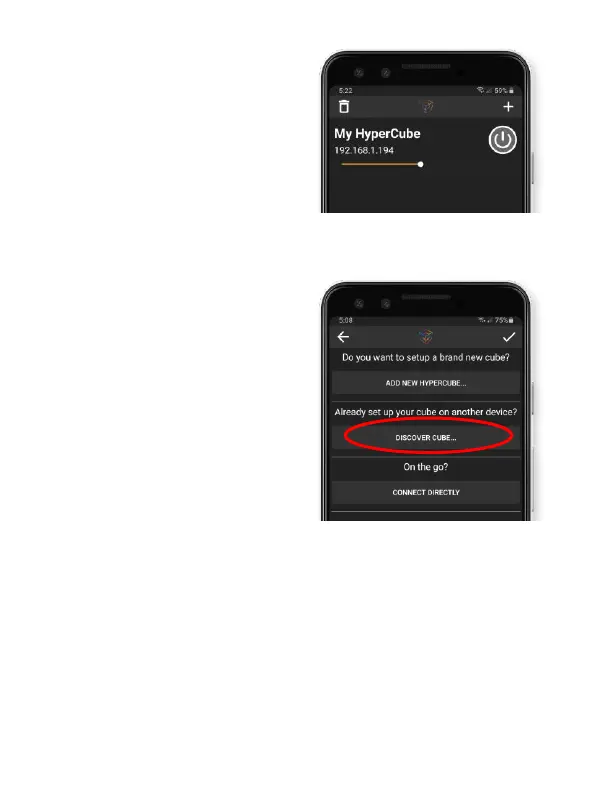
4. You’re done - press
“My HyperCube” to
pilot the controls!
Trouble connecting?
5. If the process
finished but the
cube isn’t showing
on the device list,
press “Discover
Cube” in the “+”
menu. Leave for
10-20s, then press
the check mark
6. If this does not work, reset the WiFi by
holding the button on the control box for 10s
(until the LEDs flash green)
7. Repeat steps 1-5. OR, in step 3 press “Can’t
Connect?” at the bottom of the screen.



 To Next Page