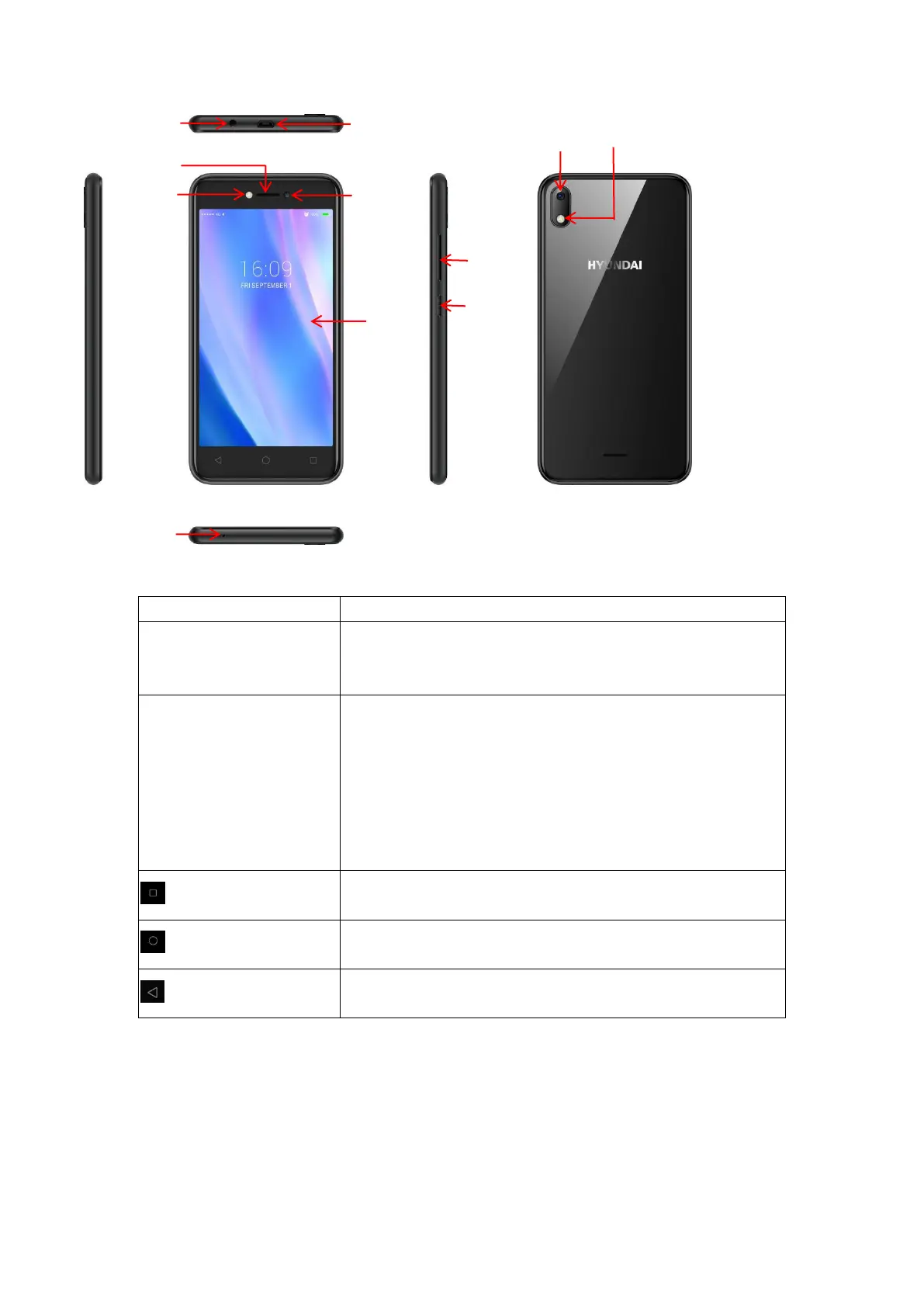
a) Press to Turns on/off the screen.
b) Press and Hold to power off, restart the phone or switch on/off the airplane
mode.
a) Press when call is in progress, increase or decrease the volume, when the
phone is ringing, silences the ringer. On the home screen when no call in
progress, increase or decrease the ringtone volume or sets the phone to
the silent instead of ringing. In other applications, controls the volume of
music, spoken directions and other audio.
b) Press and hold to quickly increasing ringtone volume to maximum or
minimum.
Press to open recently used programs list
a) Tap to return to Home screen
b) Long press to enter Google Assistant
a) Tap to return to the previous screen.
Insert SIM card and SD card
1. <1>Insert SIM card 1: we can put the SIM card 1 into the left side card slot of the phone.
<2>insert SIM card 2: we can insert the SIM card 2 directly to the SIM card 2 slot.


 To Next Page