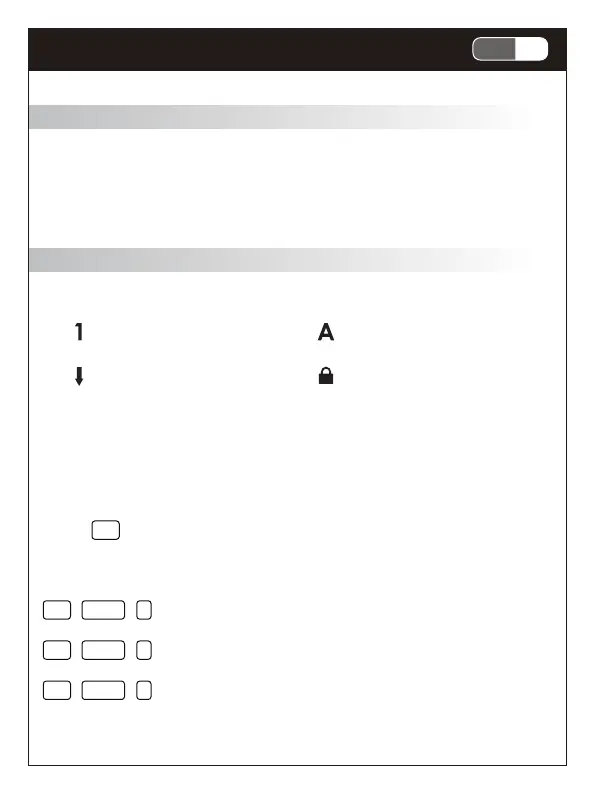
Numeric lock indicator Caps lock indicator
Scroll lock indicator
Windows lock indicator
Package Contents
• Mechanical Keyboard x1
• USB-C Cable x 1
• Quick Start Guide x1
System Requirements
• Microsoft Windows® 7, Windows® 8.1 and Windows® 10 or later
• Available USB Port
Features
• Mechanical keyswitches for fast response and key feedback
• Smart Wheel with switchable modes and short-cut
• USB-C detachable cable and adjustable footstand
• Built-in hotkey for accessing multimedia, mail, full key lock,
PC lock and more
Specifications
• Interface: USB ( Full Speed )
• Key number : 107 Keys
• Smart dial wheel: 1 Set
• Switch type : Mechanical switch
• Key stroke : 4.0 mm
• N-Key rollover ( NKRO)
• Multimedia keys: 15 keys
• Backlight : None
• Voltage / Current: DC 5V / 100 mA Max.
• Weight: approx. 960 g
• Cable length: approx. 180 cm
• Dimension: 446 (L) X 140(W) X 42 (H) mm
Hardware keyboard installation
1. Turn on your computer
2. Plug USB cable into an available USB port on your computer and
keyboard. ( USB Type A for computer & Type C for keyboard )
3. Your computer will automatically detect the keyboard
4. You may use the keyboard after detection
Product Information
1. LED indication
• 4 indicators blinking slow : full key lock is in effect ( Fn+Esc )
2. Hotkeys
Press Fn and desired function key simultaneously to use hotkeys.
2.1 Setting Keys
FN + CTRL + G : N-Key Rollover anti-ghosting function (default)
FN + CTRL + N : 6-Key Rollover anti-ghosting & standard USB settings
FN + CTRL + P : Factory reset ( Press and hold for 5 seconds)
2.2 Multimedia & function key 2.3 Smart wheel function
Smart wheel is powered by Windows 10 protocol without additional
software, if you’re using the latest version of Windows 10.
Smart Wheel is customizable and will automatically switch to your
preferred tool depending on software you’re using. Switch between
scrolling, zoom, rotation, brush tuning, video editing, multimedia
control and more. Smart Wheel support ranges from Windows 10
built-in apps to pro software.
1-2EN
Mechanical Keyboard



 To Next Page
 Loading...