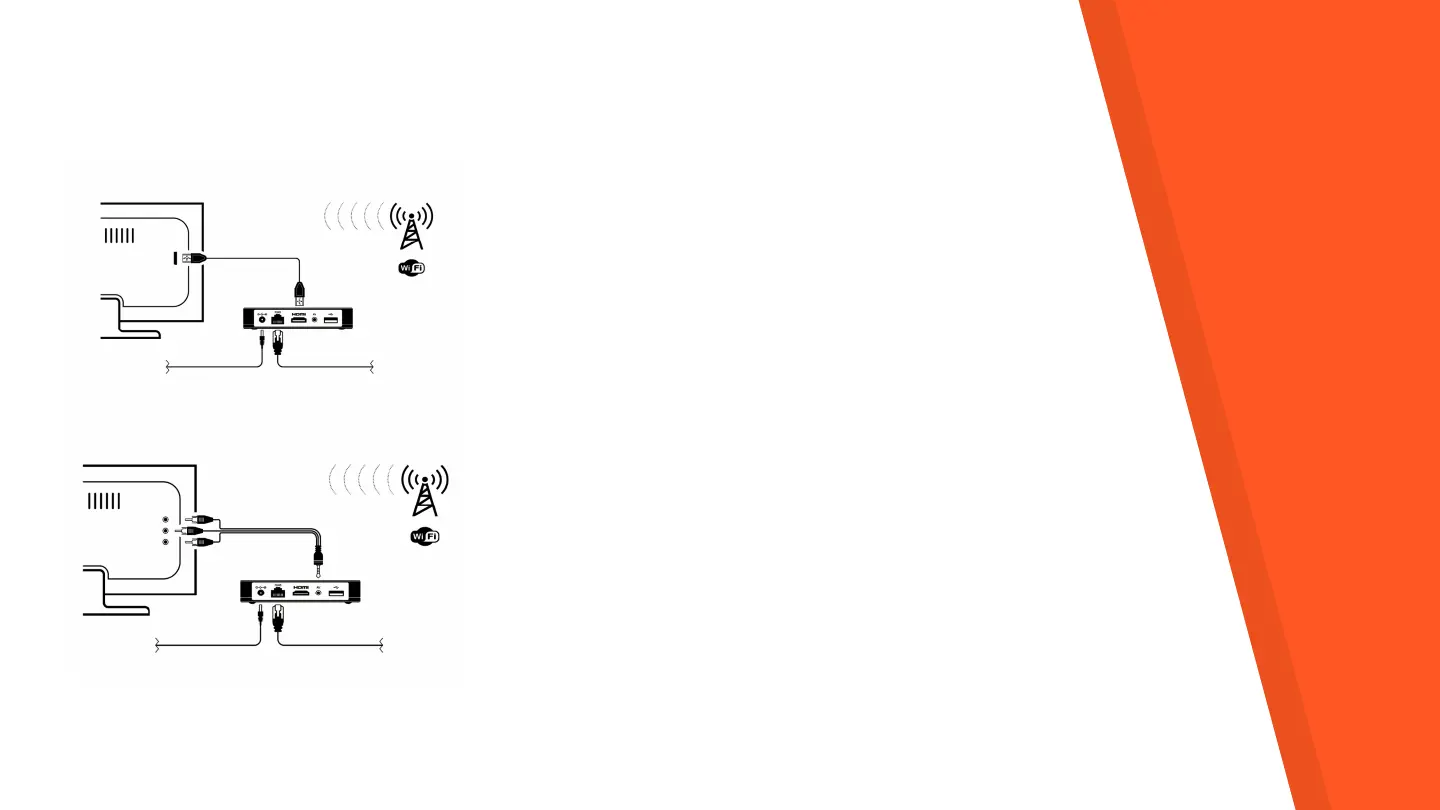
Connection & Setup
STEP 1: Connect iAN TV Box to your TV using an HDMI
cable or CVBS.
STEP 2: Connect one end of the power cord to the back of
iAN TV box and the other end to an electrical outlet.
STEP 3: Ensure the connection of iAN TV Box to the existing
broadband over WiFi or Ethernet.
STEP 4: Turn on the TV and select the respective HDMI input
or RCA-in.
STEP 5: Adjust Internet network connection settings.
STEP 6: Login screen will appear after successfully
connecting to the Internet. To activate iAN TV application,
please enter your personal Login and Password!
www.iantv.tv



 To Next Page