FREQUENTLY ASKED QUESTIONS
How do I pair a new remote transmitter with the receiver?
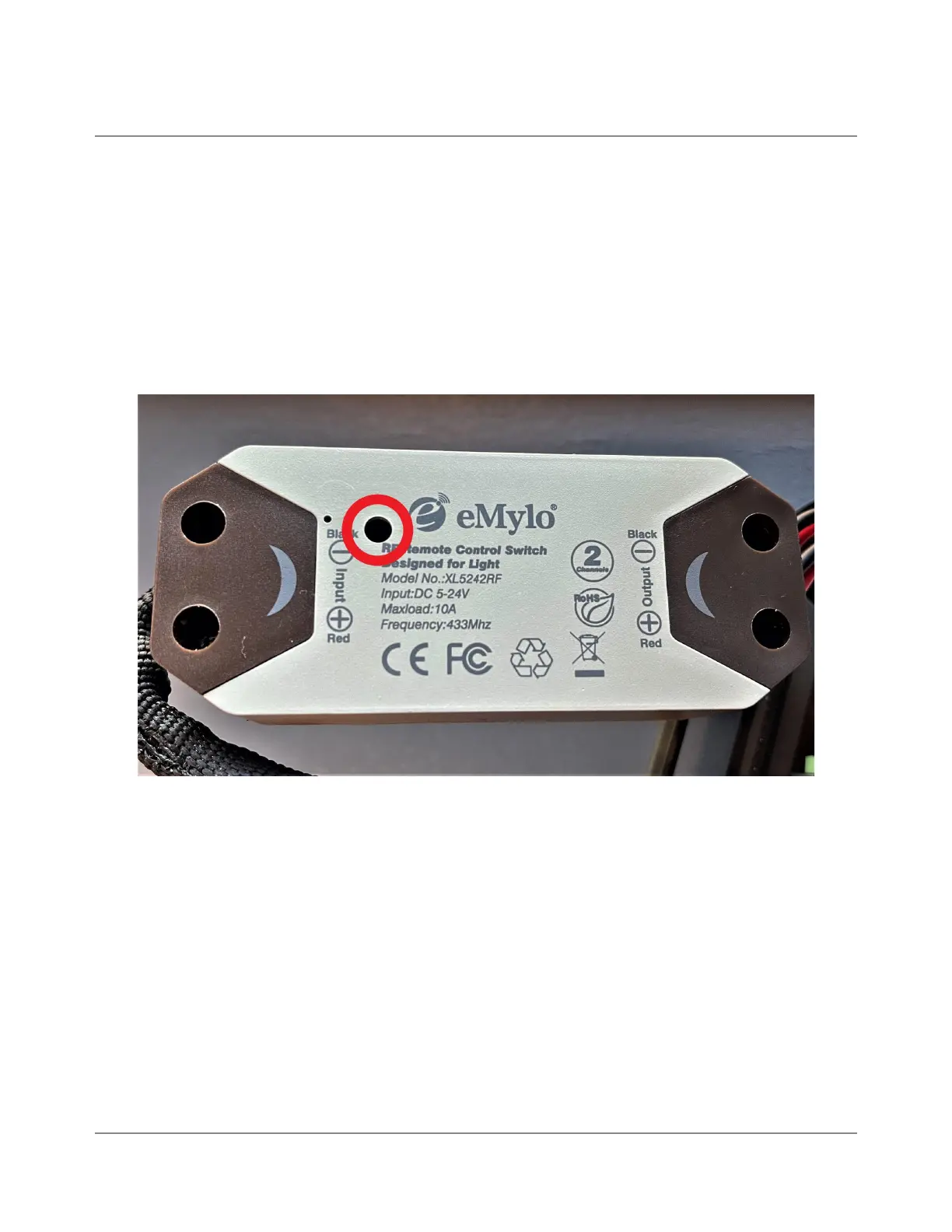
● Press and hold the recessed RF button on the receiver (Fig. 8) for approximately
3 seconds until you see a blue/red/purple light flash and stay on. This is best
done with a small flathead screwdriver or a paperclip.
Fig 8.
● Now press and release the A button on the remote transmitter. Wait 2 seconds
and then press and release the A button again.
● Wait until the blue/red/purple light turns off and goes back to the normal color.
● Your remote is now paired with the receiver and should be in the ON/OFF mode.
If it is not in ON/OFF mode, please see the next section, which explains how to
change modes on the receiver for best results.
● If you’d like the B button to control the lift gate as well as the A button, repeat
the previous steps and press B instead of A.
2022-01.0 IBEX EQUIPMENT CO


 To Next Page