EasyManua.ls Logo

IBM 7316 - TF1 Rack Console - Page 35

IBM 7316 - TF1 Rack Console
54 pages
Print Icon
To Next Page IconTo Next Page
To Previous Page IconTo Previous Page
Loading...
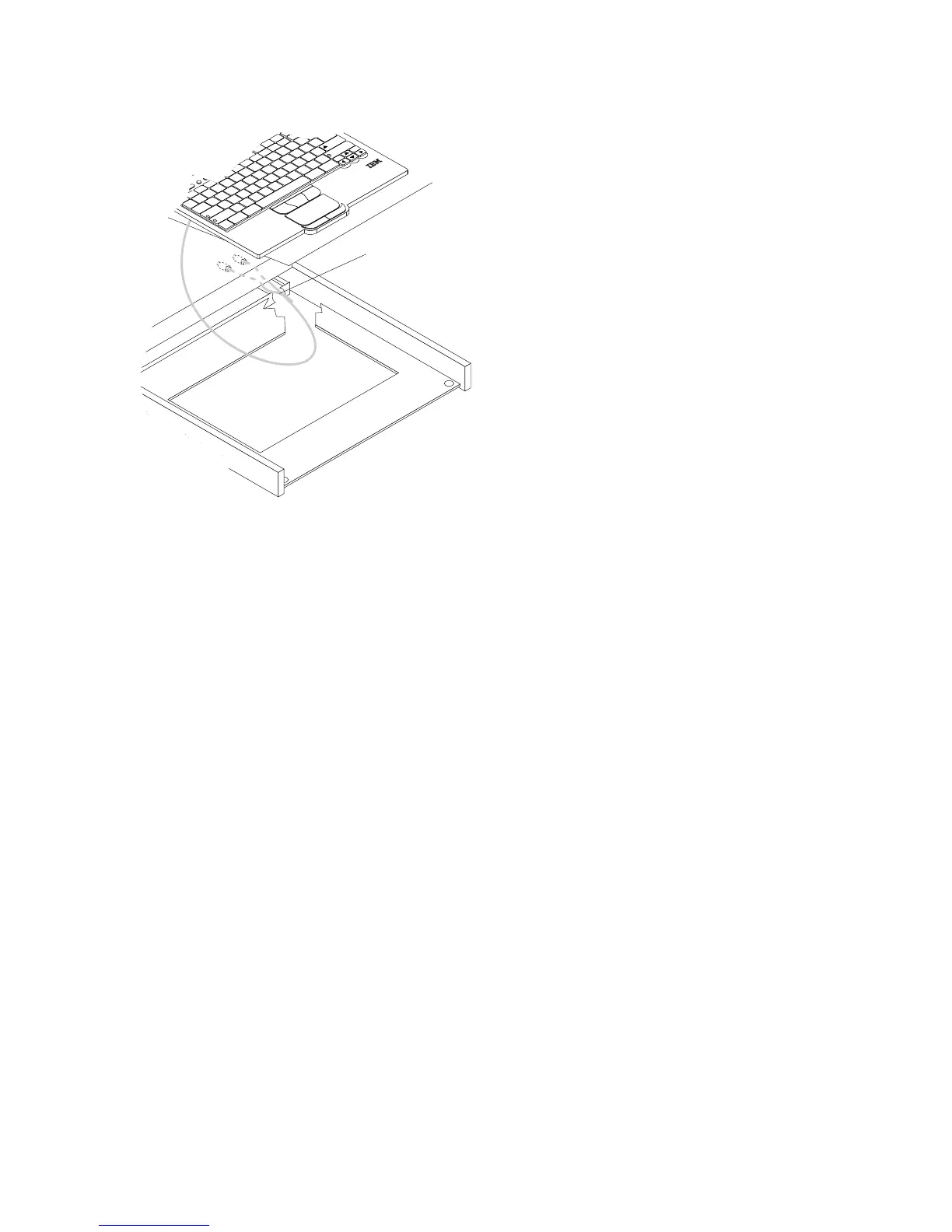
cable-management
arm.
Pull
the
full
length
of
the
cable
through
the
opening.
Keyboard-and-mouse
cable routing
F
n
C
tr
l
C
tr
l
A
lt
A
lt
A
Z
S
X
D
C
F
V
G
B
H
N
J
M
K
<
,
L
>
.
:
;
?
/
E
n
te
r
S
h
ift
S
h
ift
C
a
p
s
Lo
c
k
E
s
c
F
1
F
2
F
3
F
4
F
5
F
6
F
7
F
8
F
9
F
10
F
1
1
F
1
2
D
ele
te
In
s
er
t
P
r
tS
c
E
n
d
S
c
rL
k
Pa
u
s
e
1
Q
2
W
3
E
4
R
5
T
6
Y
7
U
8
I
9
O
0
P
{
[
}
]
|
\
B
a
c
k
s
p
a
Ta
b
~
`
_
-
+
=
8.
Secure
the
keyboard-and-mouse
cable
to
the
cable-management
arm
using
the
existing
cable
straps.
9.
Reconnect
the
keyboard-and-mouse
cable
to
the
server
or
console
switch.
Chapter
4.
Hardware
Maintenance
Information
21

Related product manuals