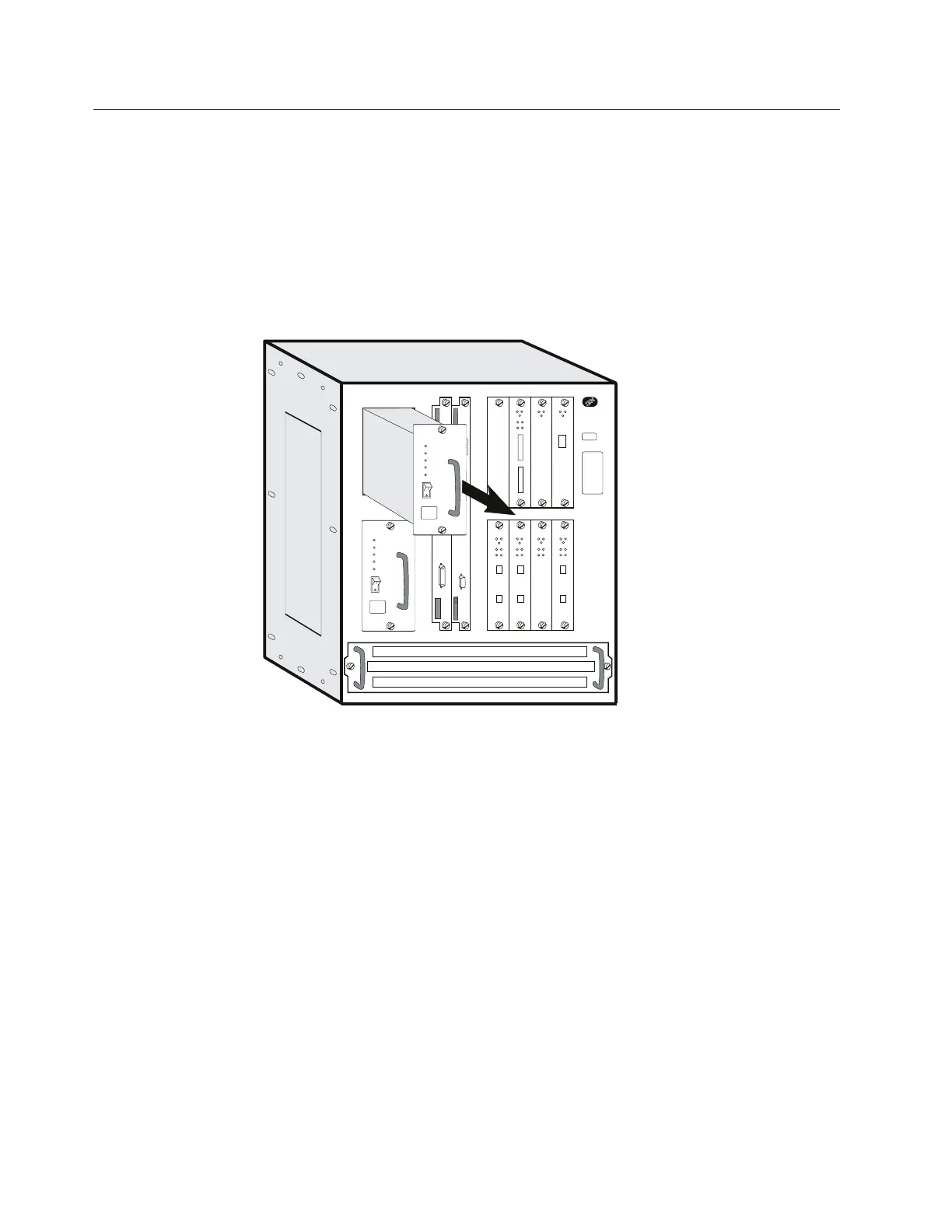
Exchanging a Power Supply
Attention: A power supply is hot pluggable if an optional load-sharing power supply
is also installed.
1 Switch OFF the power supply.
2 Unplug the power cord.
3 Remove the power supply by loosening the screws at the top and bottom and
pulling the handle.
4 Install the new power supply. The power supply will slide into place on metal
rails in the unit.
5 Attach the power cord.
6 Switch ON the power.
7 Verify the LEDs. See “Adapter Card Status” on page 3-3.
8 Notify the network administrator that you are finished repairing the
Multiaccess Enclosure.
9 Go to “CE Leaving Procedure” on page 5-60.
4-4 3746-9X0: MAE Installation and Maintenance


 To Next Page
 Loading...







