Exchanging the ISDN Daughter Card
1 Remove the adapter. (See “Exchanging an Adapter” on page 4-42. Perform
all Steps through step 6 on page 4-43.)
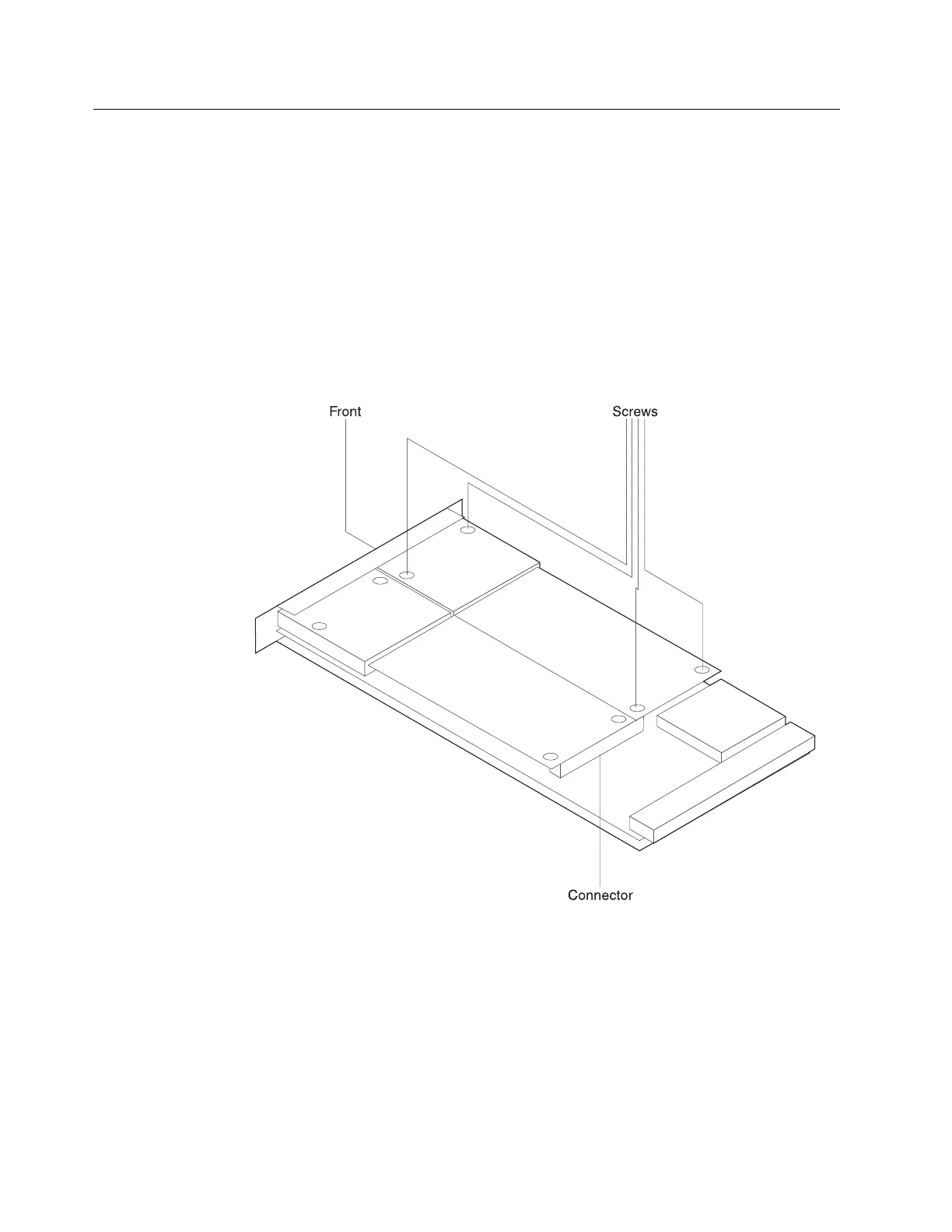
2 Follow these Steps to remove the faulty daughter card:
a Lay the adapter (metal side down) on a flat surface.
b Remove (and keep) the four screws that attach the daughter card to the
adapter.
c Disconnect the daughter card from the adapter connector by gently
pulling the daughter card up about an inch from the adapter.
d While raising both ends of the daughter card, slide the daughter card to
the side to remove the card.
3 Follow these Steps to install the daughter card:
a With the large white label facing up, slide the end of daughter card into
the rectangular opening on the front panel.
b Gently push on the card near the two holes in the corners of the card to
secure the connector
4-46 3746-9X0: MAE Installation and Maintenance


 To Next Page
 Loading...







