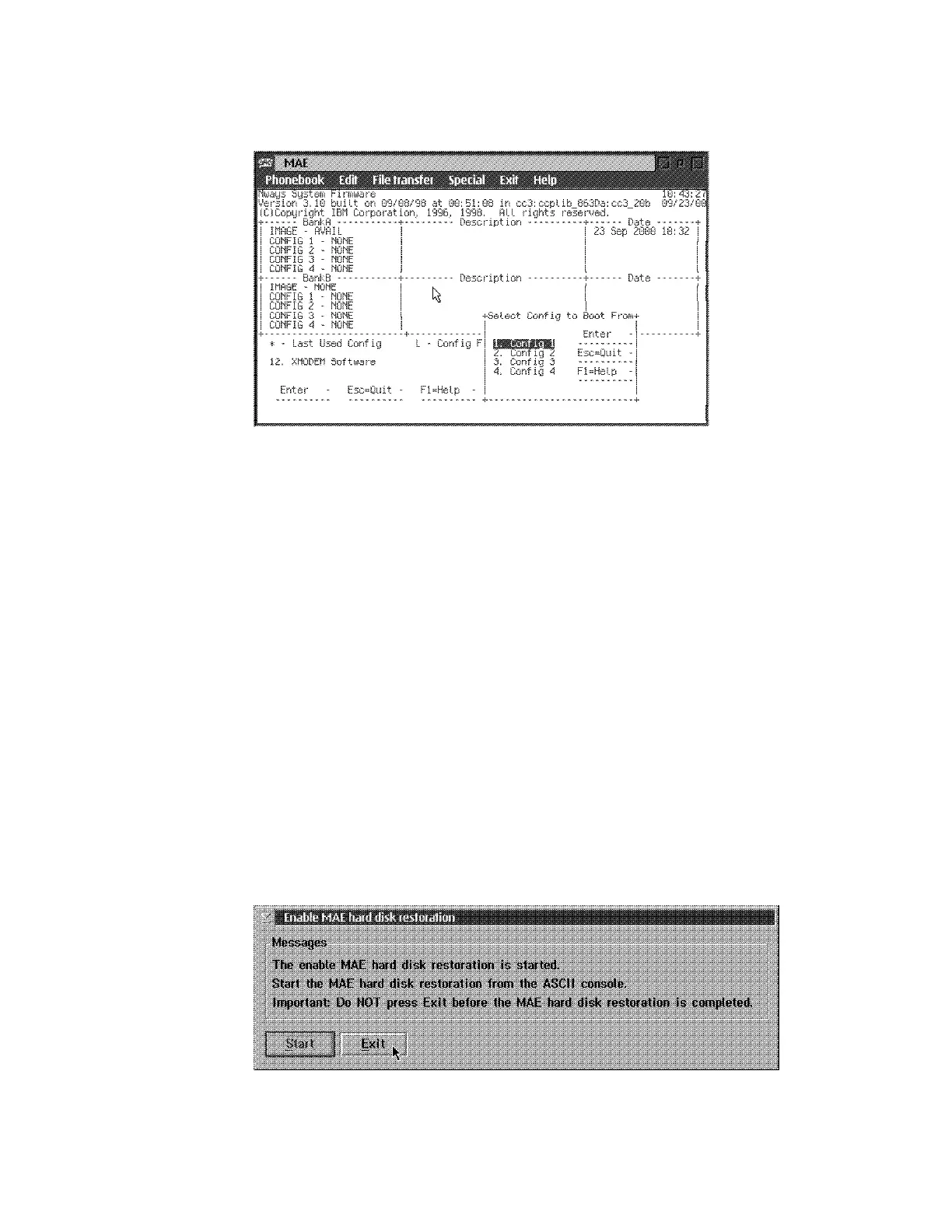
8 In Select Config to Boot from window, select Config 1, then press Enter.
9 In Select Duration window select Permanent, then press Enter.
10 The Change Management Software Control window is displayed select 3.
Control Rebooting of Router then press Enter.
11 Select Enable, then press Enter.
12 On the Change Management Software Control window, select 4. Control
Dumping of Router then press Enter.
13 Select Enable, then press Enter.
14 On the Change Management Software Control window, press Esc, twice to
return to System Management Services.
15 Press F9, to start the operating system. Follow the prompts and press the
space bar to obtain the prompt:
Config (only)>
16 Return to the Enable MAE hard disk restoration window, then press Exit.
.
5-36 3746-9X0: MAE Installation and Maintenance











 To Next Page