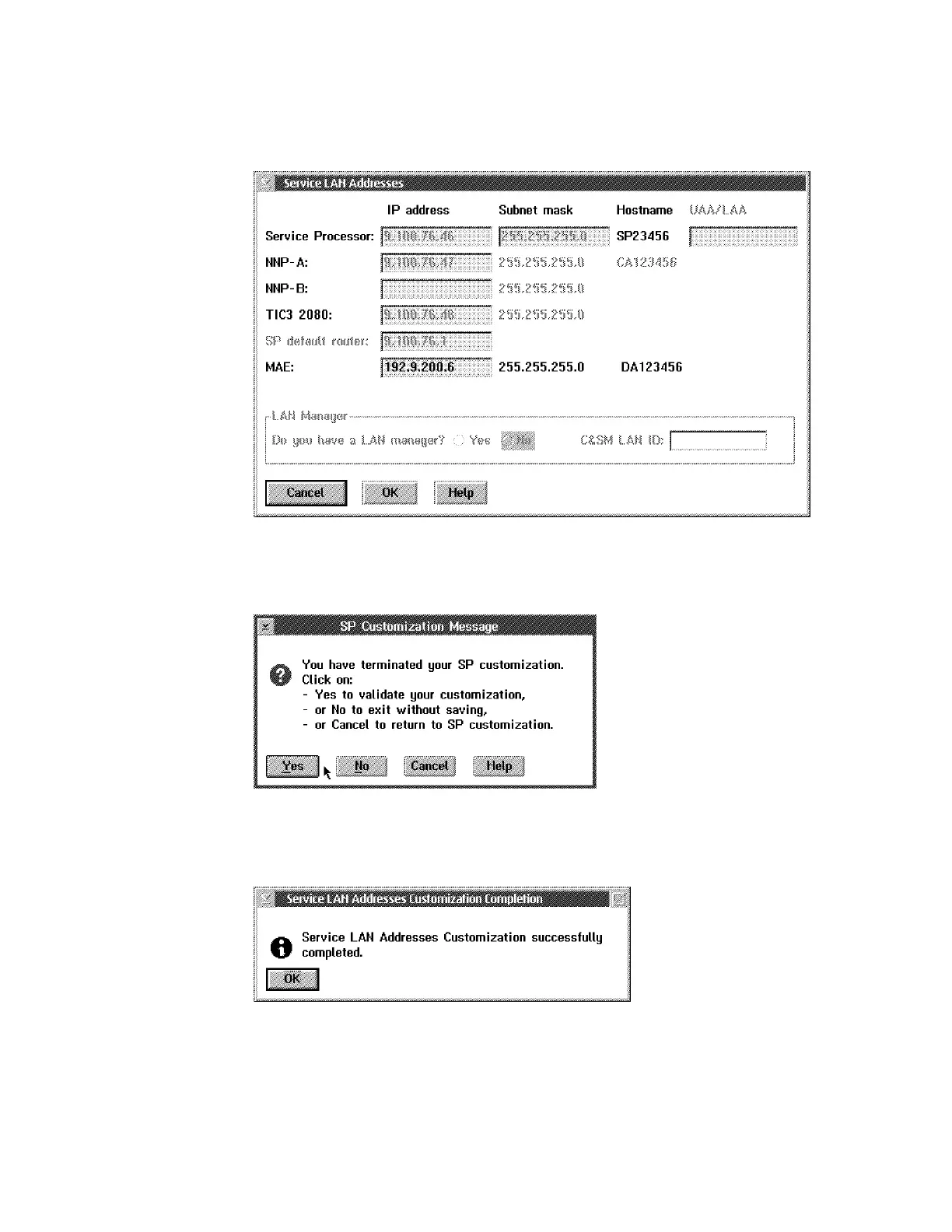
b Enter the MAE IP address (value recorded at the beginning of the
procedure), then click on OK.
Figure 5-19. Service LAN Addresses
c Click on Yes to record your parameters.
Figure 5-20. SP Customization Message
d When completed, click on OK.
Figure 5-21. SP Customization Completed
e The MAE code is now being installed (it takes about 10 mn), when
completed click on Close.
Note: Verify that the MAE link icon is green.
5-38 3746-9X0: MAE Installation and Maintenance











 To Next Page