Preparing the Multiaccess Enclosure Hard Disk
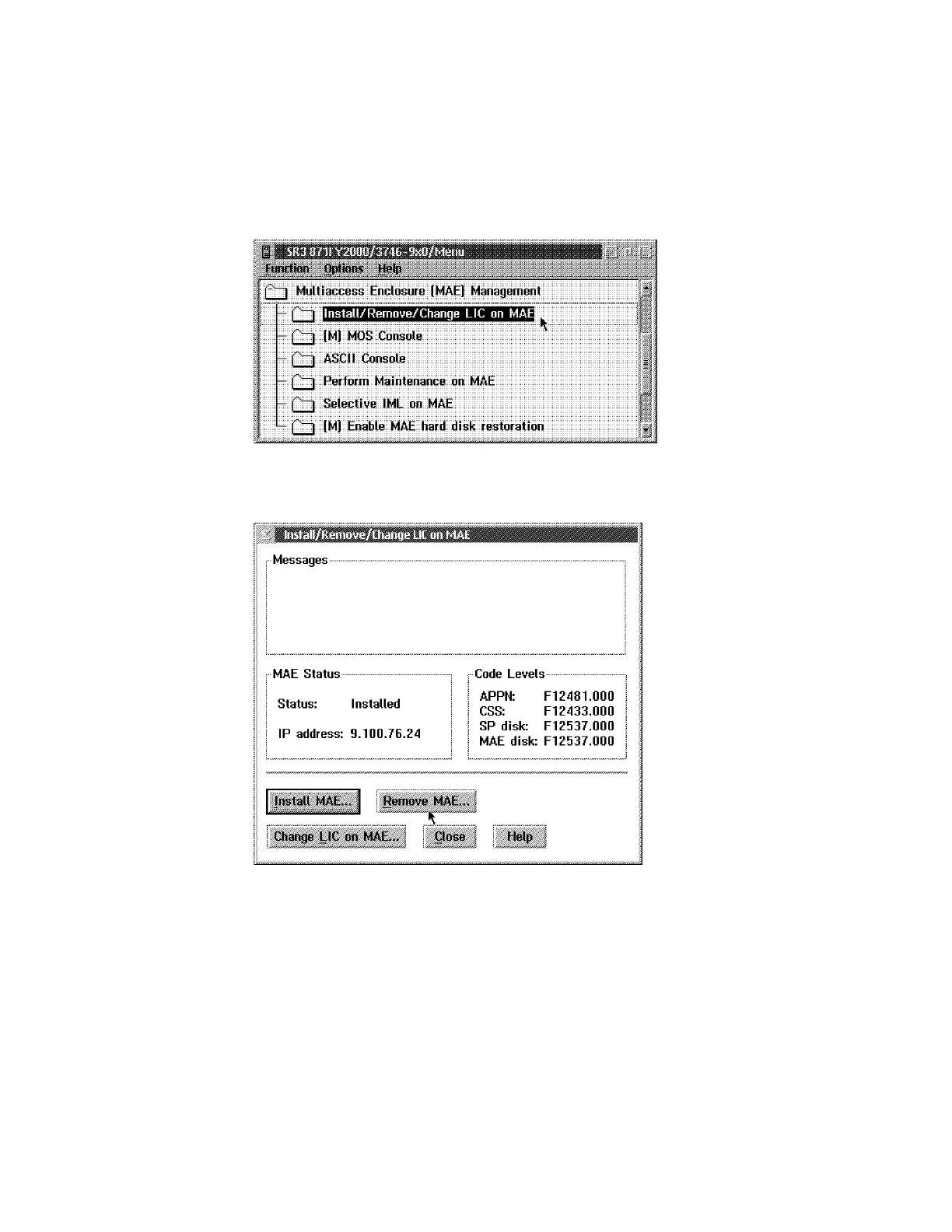
1 Remove the MAE to avoid reboot after 40 minutes:
a Click on Multiaccess Enclosure Management, then double click on
Install/Remove/Change LIC on MAE.
b Click on Remove MAE.
c Click on Yes to confirm.
d When completed click on Close.
2 Power ON and verify the LEDs. See “Adapter Card Status” on page 3-3.
3 Several windows are displayed during tests. Wait until the Boot Information
window is displayed.
4 Press F1 when required (to prematurely terminate boot) .
5 Enter the Multiaccess Enclosure supervisory password when required: 2216.
3-18 3746-9X0: MAE Installation and Maintenance


 To Next Page
 Loading...







