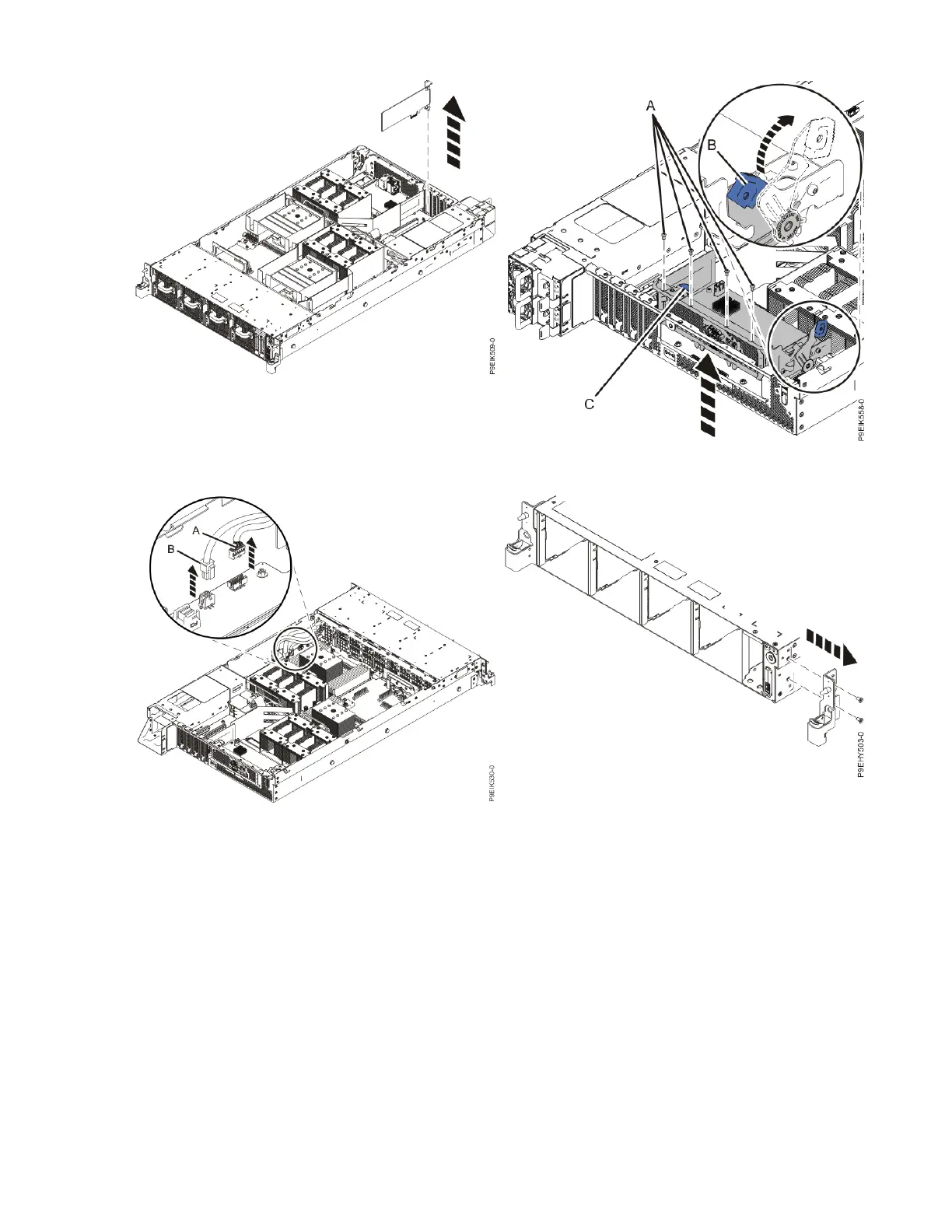
Figure 21. Removing a PCIe adapter
Figure 22. Removing the BMC card
Figure 23. Removing the USB cable and the power
switch and cable from the system backplane and
the disk drive and fan card
Figure 24. Removing the rack installation support
Installing and removing parts 15



 To Next Page