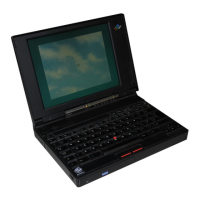
Keyboard/Mouse Connector
Each ThinkPad computer has a keyboard/mouse connector, where
the IBM mouse, keyboard, or numeric keypad is connected.
Signals
The keyboard and mouse signals are driven by open-collector drivers
pulled to 5 V dc through a pull-up resistor. Figure 2-1 lists the
signals.
Figure 2-1. Keyboard and Mouse Signals
Sink current 1 mA Maximum
High-level output voltage 5.0 V dc minus pullup Minimum
Low-level output voltage 0.5 V dc Maximum
High-level input voltage 2.0 V dc Minimum
Low-level input voltage 0.8 V dc Maximum
Connector
The keyboard/mouse connector uses a 6-pin, miniature DIN
connector.
12
34
56
Figure 2-2. Keyboard/Mouse Connector Pin Assignments
Pin I/O Signal Name
1 I/O Mouse Data
2 I/O Keyboard Data
3–Ground
4–+5 V dc
5 I/O Mouse Clock
6 I/O Keyboard Clock
Note: The maximum current for +5 V dc (pin 4) is 0.5 A.
Scan Codes
Figure 2-3 shows the key numbers assigned to keys on the 85-key
keyboard (for the U.S.).
2-4 System Board


 To Next Page
 Loading...