RUNNING THE DIAGNOSTICS
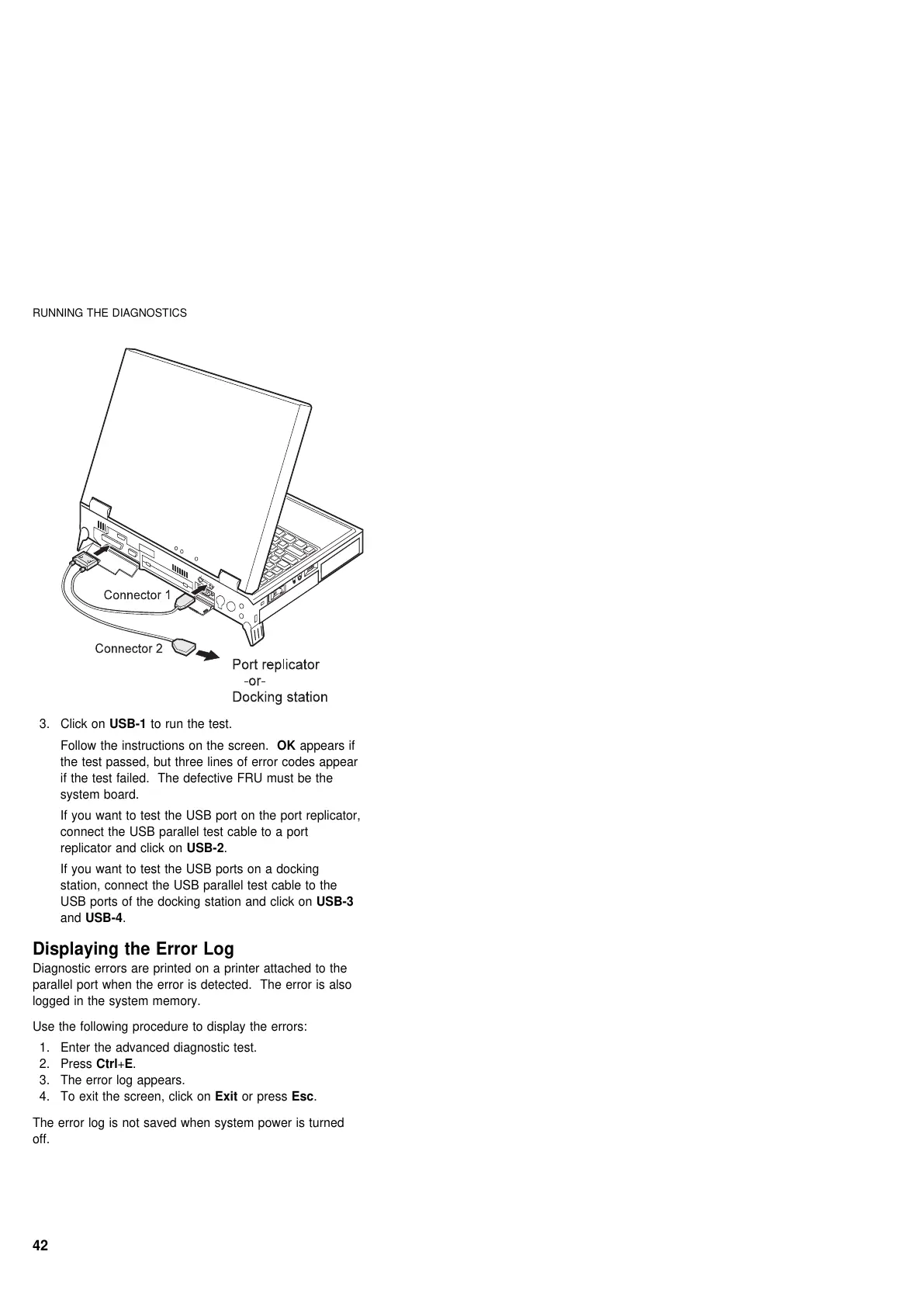
3. Click on USB-1 to run the test.
Follow the instructions on the screen. OK appears if
the test passed, but three lines of error codes appear
if the test failed. The defective FRU must be the
system board.
If you want to test the USB port on the port replicator,
connect the USB parallel test cable to a port
replicator and click on USB-2.
If you want to test the USB ports on a docking
station, connect the USB parallel test cable to the
USB ports of the docking station and click on USB-3
and USB-4.
Displaying the Error Log
Diagnostic errors are printed on a printer attached to the
parallel port when the error is detected. The error is also
logged in the system memory.
Use the following procedure to display the errors:
1. Enter the advanced diagnostic test.
2. Press Ctrl+E.
3. The error log appears.
4. To exit the screen, click on Exit or press Esc.
The error log is not saved when system power is turned
off.
42











 To Next Page