MODEL-UNIQUE FUNCTIONS
Status Indicators
The system status indicators show the current computer
status in different colors (green and orange):
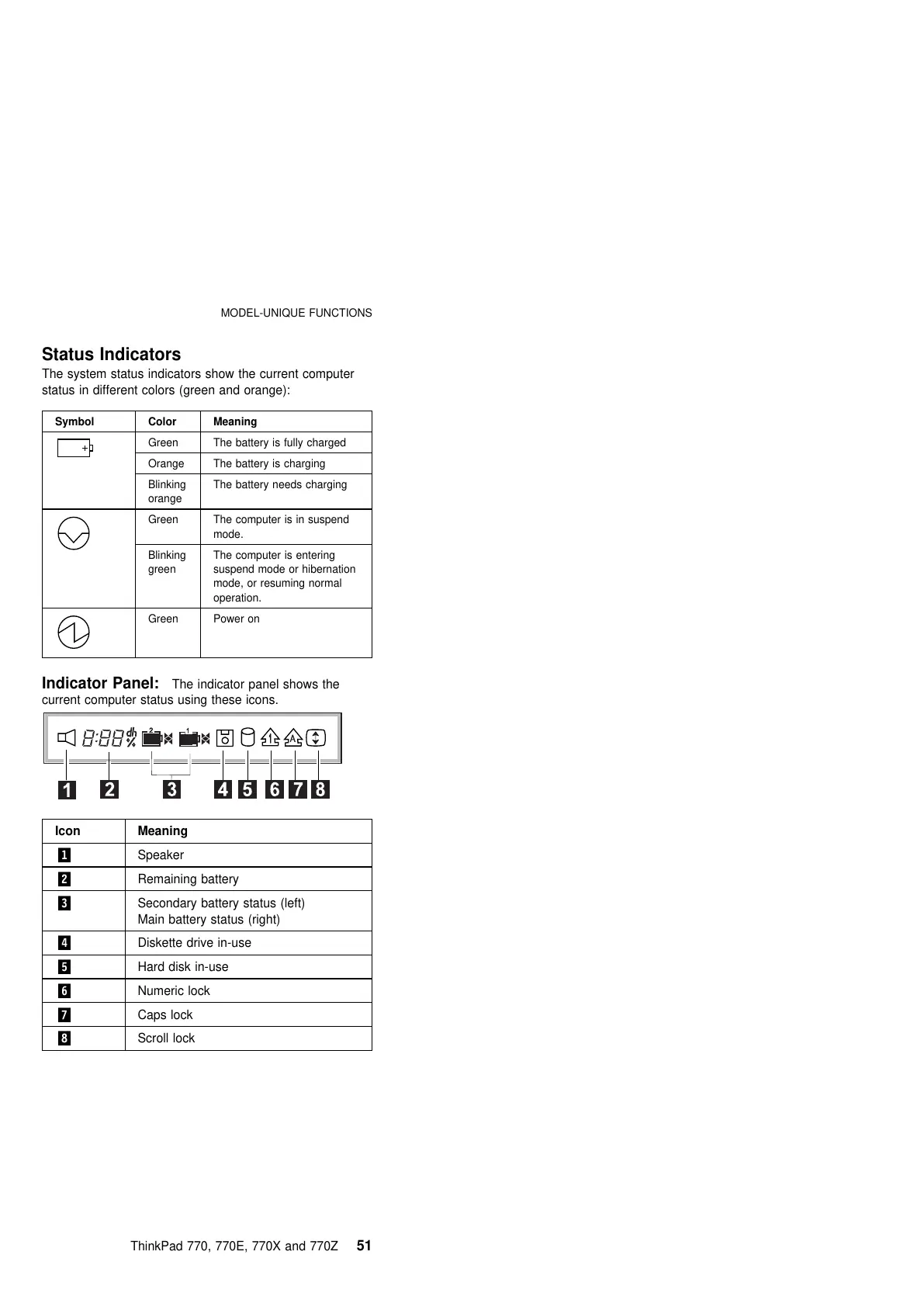
Indicator Panel: The indicator panel shows the
current computer status using these icons.
Symbol Color Meaning
Green The battery is fully charged
Orange The battery is charging
Blinking
orange
The battery needs charging
Green The computer is in suspend
mode.
Blinking
green
The computer is entering
suspend mode or hibernation
mode, or resuming normal
operation.
Green Power on
Icon Meaning
.1/ Speaker
.2/ Remaining battery
.3/ Secondary battery status (left)
Main battery status (right)
.4/ Diskette drive in-use
.5/ Hard disk in-use
.6/ Numeric lock
.7/ Caps lock
.8/ Scroll lock
ThinkPad 770, 770E, 770X and 770Z 51











 To Next Page