
 Need help?
Do you have a question about the iBox Dawn and is the answer not in the manual?
Please read these instructions fully before installing or operating your speaker. Keep away from flame sources and liquids.
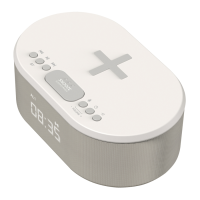
Details the top panel controls including wireless charging location and playback buttons.
Details the back panel connections like USB, DC jack, speakers, and antenna.
Steps to set the time, including 12/24 hour format.
How to set, enable, disable, and manage alarms with source selection.
Instructions for stopping, snoozing alarms, and adjusting display brightness.
Guide to pairing, connecting, and controlling audio playback via Bluetooth.
Instructions for tuning, scanning, and saving FM radio stations.
Setting the sleep timer to automatically turn off music after a chosen duration.
Using wireless charging and USB ports to charge your mobile device.
Resolving common charging issues, including case compatibility and placement.
Information on backup battery usage and accessing technical support.
Information regarding the power supply's compliance with EU energy efficiency directives.
Official statement confirming compliance with EU directives for radio equipment.
 General
| Display | LED |
|---|---|
| Radio | FM |
| Bluetooth | Yes |
| USB Charging Ports | 1 |
| Snooze Function | Yes |
| Power Source | AC/DC |
| Type | Digital |
| Alarm Modes | Buzzer, Radio |

 To Next Page