

EasyManua.ls Logo

iBUYPOWER ARC 647 - User Manual

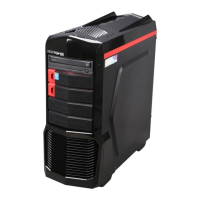
iBUYPOWER ARC 647
4 pages
Print Icon
To Next Page IconTo Next Page
Loading...
iBUYPOWER
529 N Baldwin Park Blvd
City of Industry, CA 91746
Technical Support Hours: Toll Free: (888) 618-6040
Mon - Fri: 8:30 am - 5:00 pm PST Phone: (626) 269-5170 techsupport@ibuypower.com
iBUYPOWER Troubleshooting Guide
Troubleshooting 100: Unboxing
The purpose of this guide is to provide a thorough and detailed walkthrough of the steps to get your PC
unpacked and ready for setup. As a 100 level guide, this should be accessible to all users.
Tools Required
Clean and dry hands
Philips head screwdriver
**Important Notes**
Read through this guide in its entirety before starting. No matter how confident you are, please do not
skip a single step unless the guide tells you do. All steps in this guide are included deliberately and
skipping steps can result in the guide being ineffective.
Always make sure the computer is completely off and unplugged while working inside of it.
If you ever feel the slightest bit uncomfortable or unsure, please reach out to our Tech Support team
either through Live Chat, Email, or Phone.
New PC
Congratulations on your new gaming PC. Before jumping straight into powering the machine on, there
are a few steps we recommend taking during unboxing that can help with your setup and usage
experience.
Avoid Static
While modern PCs are much more resilient to static discharge damage than in the past, it is still a good
precaution to take to avoid shocking the components inside your PC. Avoid carpeted areas if possible or
be barefoot if on carpet. Removing the plastic bag from around the PC can generate a lot of static make
sure to touch a grounded metal object before handling any components within the PC. Simply touching
the metal of the case is usually good enough.
Unbox upside down
We recommend opening the top of your PC box and placing it upside down on the floor or table, then
lifting the box off the PC, rather than trying to lift the PC out of the box. Sometimes handles can get
stuck in the packing foam, so make sure they are not sticking into the box before lifting.
Question and Answer IconNeed help?

Do you have a question about the iBUYPOWER ARC 647 and is the answer not in the manual?

Overview

This document outlines the unboxing and initial setup of an iBUYPOWER personal computer, emphasizing proper handling and preparation for use.

Function Description

The iBUYPOWER PC is a personal computer designed for various computing tasks. The manual guides users through the process of safely unboxing the device, identifying its components, and preparing it for operation. It highlights the importance of careful handling to prevent damage during setup.

Important Technical Specifications

While specific technical specifications of the PC are not detailed in this document, it provides information on the accessories included with the system. These accessories typically include:

  • Power cord: For connecting the PC to an electrical outlet.
  • Keyboard: For user input.
  • Mouse: For user input and navigation.
  • Instruction manuals: Providing detailed guidance on the PC's features and operation.
  • Driver disks: Containing necessary software drivers for the PC's components.
  • Wireless antennas: For Wi-Fi connectivity.

The PC is designed to accommodate a high-end or heavy graphics card, indicating its potential for demanding applications such as gaming or graphic design. The internal structure allows for expansion foam to be placed inside the case for protection during shipping, which must be removed before operation.

Usage Features

The manual emphasizes several usage features related to the initial setup and ongoing care of the PC:

Unboxing and Preparation:

  • Unpacking: The PC is shipped in a protective package. Users are instructed to unpack it carefully, noting that the box may be oriented upside down. The packaging includes foam inserts and air bags to secure components during transit.
  • Accessory Identification: Users should identify all included accessories, such as the power cord, keyboard, mouse, manuals, driver disks, and wireless antennas.
  • Antenna Installation: For PCs with integrated Wi-Fi, users must install the wireless antennas. These are typically small and easy to attach, and users should check for them as they may be attached later.
  • Internal Foam Removal: A critical step is the removal of internal packing foam, especially if the PC has a high-end or heavy graphics card. This foam prevents damage during shipping but must be removed to ensure proper airflow and prevent overheating. The manual advises against forcing the foam out and suggests removing side panels if necessary.
  • Side Panel Removal (if needed): If the internal foam is difficult to remove, users may need to remove one or two side panels. This involves unscrewing the side panels and carefully detaching them. The manual shows examples of different side panel styles.

Safety and Handling:

  • Two-person lift: The PC box can be heavy, and it is recommended to have two people lift it to avoid injury.
  • Clean and dry hands: Users should ensure their hands are clean and dry when handling the PC to prevent damage or electrical hazards.
  • Screwdriver: A Philips head screwdriver is required for certain tasks, such as removing side panels or installing components.
  • Static discharge: The manual warns about the risk of static discharge, which can damage electronic components. Users are advised to take precautions to avoid static buildup, such as touching a grounded metal object before handling components.
  • Shipping material retention: Users are strongly advised to save all packaging material, including the box, foam, and air bags. This material is essential for safe transport if the PC needs to be shipped for service or relocation. The box is designed to protect the PC from damage, and using alternative packaging may void warranties or lead to damage.

Maintenance Features

The document primarily focuses on initial setup rather than ongoing maintenance, but it does touch upon aspects that contribute to the longevity and proper functioning of the device:

  • Proper airflow: Removing the internal packing foam is crucial for ensuring proper airflow within the PC case, which helps prevent overheating and extends the life of components.
  • Saving packaging: Retaining the original packaging is a key maintenance feature for future transport. It ensures that the PC can be safely moved or shipped for repairs without incurring damage.
  • Driver disks: The inclusion of driver disks suggests that users may need to install or update drivers for optimal performance, a common maintenance task for PCs.

The manual emphasizes that following these instructions carefully will help ensure a smooth setup process and the long-term reliability of the iBUYPOWER PC.
iBUYPOWER ARC 647 Specifications

General IconGeneral
BrandiBUYPOWER
ModelARC 647
CategoryDesktop
LanguageEnglish