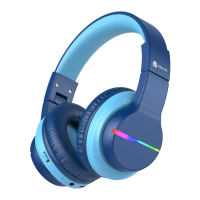
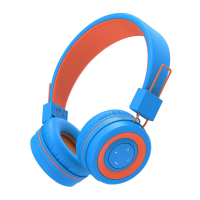
This document is a user manual for the iClever BTH16 Wireless Headphones.
Function Description:
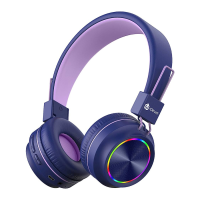
The iClever BTH16 Wireless Headphones are designed for audio playback and communication, offering both wireless (Bluetooth) and wired (3.5mm audio cable) connectivity options. They feature controls for volume, track navigation, call management, and voice assistant activation. A unique feature is the ability to switch between different volume limit gears (74dB, 85dB, 94dB) to protect hearing, especially for children. The headphones also include customizable plate covers, allowing users to change their appearance.
Important Technical Specifications:
- Model: BTH16
- Connectivity: Wireless (Bluetooth), Wired (3.5mm Audio Input)
- Bluetooth Pairing Name: iClever Transnova
- Frequency Band: 2.4GHz~2.482GHz
- Maximum Transmission Power: 4dBm
- Charging Port: USB Type-C
- Power Input for Charging: 5V (power adapter not included)
- Volume Limit Gears: 74dB, 85dB, 94dB
Usage Features:
Package Contents:
The package includes:
- 1 x iClever BTH16 Wireless Headphones
- 1 x User Manual
- 1 x 3.5mm Audio Cable
- 1 x USB Type-C Cable
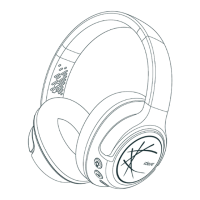
Product Diagram and Controls:
The headphones feature the following controls and indicators:
- Light On / Off Button: Toggles the colorful lights on/off.
- Volume + / Next Track Button: Short press for Volume Up, press and hold for 2 seconds for Next Track.
- MFB (Multi-Function Button):
- Press once for Play / Pause.
- Press once for Answer / End A Call.
- Keep pressing for seconds to Reject A Call.
- Press twice to Activate Siri.
- Volume - / Previous Track Button: Short press for Volume Down, press and hold for 2 seconds for Previous Track.
- Power Button: Used for powering the headphones on/off.
- LED Indicator: Provides visual feedback for power status, pairing, and charging.
- Type-C Charging Port: For charging the headphones.
- 3.5mm Audio Input: For wired connection.
- Microphone: For calls and voice commands.
On / Off:
- Power On: Switch the power button to the “ON” direction. The LED indicator flashes blue for 1 second, and the colorful lights turn on.
- Shutdown: Switch the power button to the “OFF” direction. The LED indicator flashes blue for 1 second and then turns off.
Bluetooth Pairing:
- In the power-on state, switch the power button to the “ON” direction. The colorful lights will turn on, and Bluetooth will enter pairing mode, indicated by alternating red and blue lights.
- Turn on Bluetooth on your mobile phone.
- Find and select "iClever Transnova" from the device list to establish the Bluetooth pairing connection.
Light On / Off:
- Short press the "Light On / Off" button to turn the light on or off.
Volume Limit Gear Switching:
The headphones offer three volume limit settings:
- 74dB Limit: Press and hold the "+" and "-" buttons simultaneously. A voice broadcast will confirm "74dB".
- 85dB Limit: Press and hold the "+" and "-" buttons simultaneously again. A voice broadcast will confirm "85dB".
- 94dB Limit: Press and hold the "+" and "-" buttons simultaneously a third time. A voice broadcast will confirm "94dB".
- Volume Up: Short press the “+” button.
- Volume Down: Short press the “-” button.
- Next Track: Press and hold the “+” button for 2 seconds.
- Previous Track: Press and hold the “-” button for 2 seconds.
- Play / Pause: Press the MFB button once.
- Answer / End A Call: Press the MFB button once.
- Reject A Call: Keep pressing the MFB button for seconds.
- Activate Siri: Press the MFB button twice.
- Clear The Pairing List: In the power-on state, press and hold the “+” and “-” buttons simultaneously for 4 seconds. The headphone will then automatically enter pairing state.
Voice Prompts:
The headphones provide voice prompts for various statuses:
- Power On: "Power on"
- Power Off: "Power off"
- Pairing: "Pairing"
- Successful Pairing: "Connected"
- Disconnection: "Disconnected"
- Low Power: "Battery Low"
Maintenance Features:
How to Charge the Headphone:
- Connect the Type-C cable to the Type-C port on the headphone.
- Connect the other end of the cable to a 5V power outlet (power adapter is not included).
- The indicator light will glow red to indicate charging.
- When fully charged, the indicator light will change from red to blue.
Replacement Instruction of the Plate Cover:
The headphones allow for customizable plate covers.
- Remove: Lift the lid of the earlap (similar to the bottle cap of a thermos bottle) to remove the existing plate cover.
- Replace: Replace it with a new plate cover, ensuring it is properly secured to the earlap.
FCC Statement:
The device complies with Part 15 of the FCC Rules.
- Operation Conditions:
- This device may not cause harmful interference.
- This device must accept any interference received, including interference that may cause undesired operation.
- Modifications: Changes or modifications not expressly approved by the party responsible for compliance could void the user's authority to operate the equipment.
- Interference: The equipment has been tested and found to comply with limits for a Class B digital device. If it causes harmful interference to radio or television reception, the user is encouraged to try to correct the interference by:
- Reorienting or relocating the receiving antenna.
- Increasing the separation between the equipment and receiver.
- Connecting the equipment into an outlet on a circuit different from that to which the receiver is connected.
- Consulting the dealer or an experienced radio/TV technician for help.

 Need help?
 General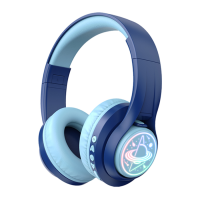

 To Next Page