Installation Instructions
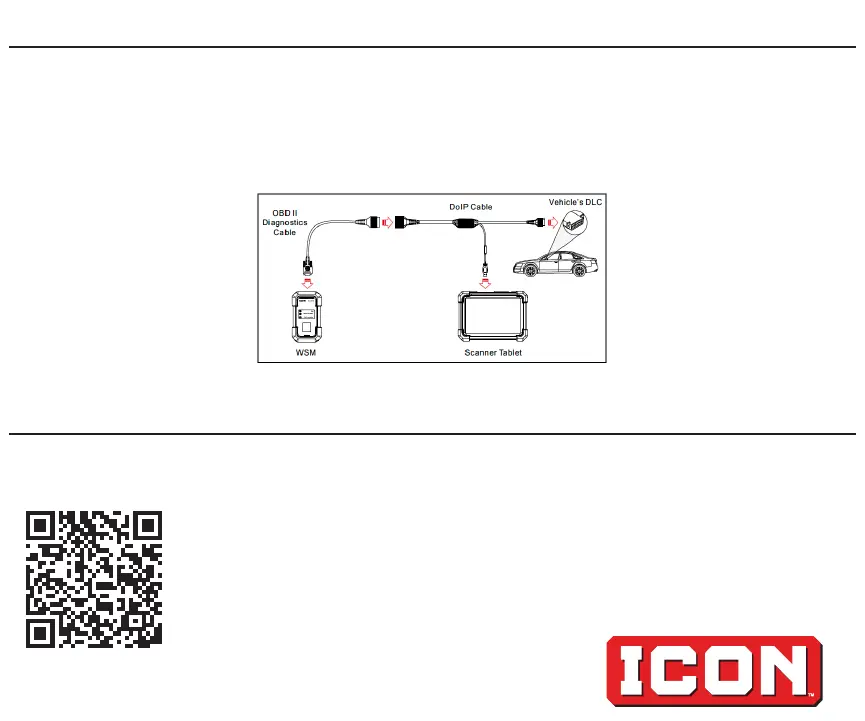
1. Connect DoIP Cable to DLC.
2. Connect Scanner to DoIP Cable.
3. Connect OBDII Diagnostics Cable to DoIP Cable.
4. Connect OBDII Diagnostics Cable to WSM.
Activate and Register with ICON TrueFix
1. To Activate and Register Scanner with TrueFix, please visit:
https://www.harborfreight.com/truefix-get-started
2. For additional information, please call 1-888-866-5797.
24g


 To Previous Page
 Loading...