If you have followed the instrucons and are having difficulty operang the unit, locate the
PROBLEM in the le column below. Check the corresponding POSSIBLE CAUSE AND SOLUTION
column to locate and fix the problem.
TROUBLESHOOTING
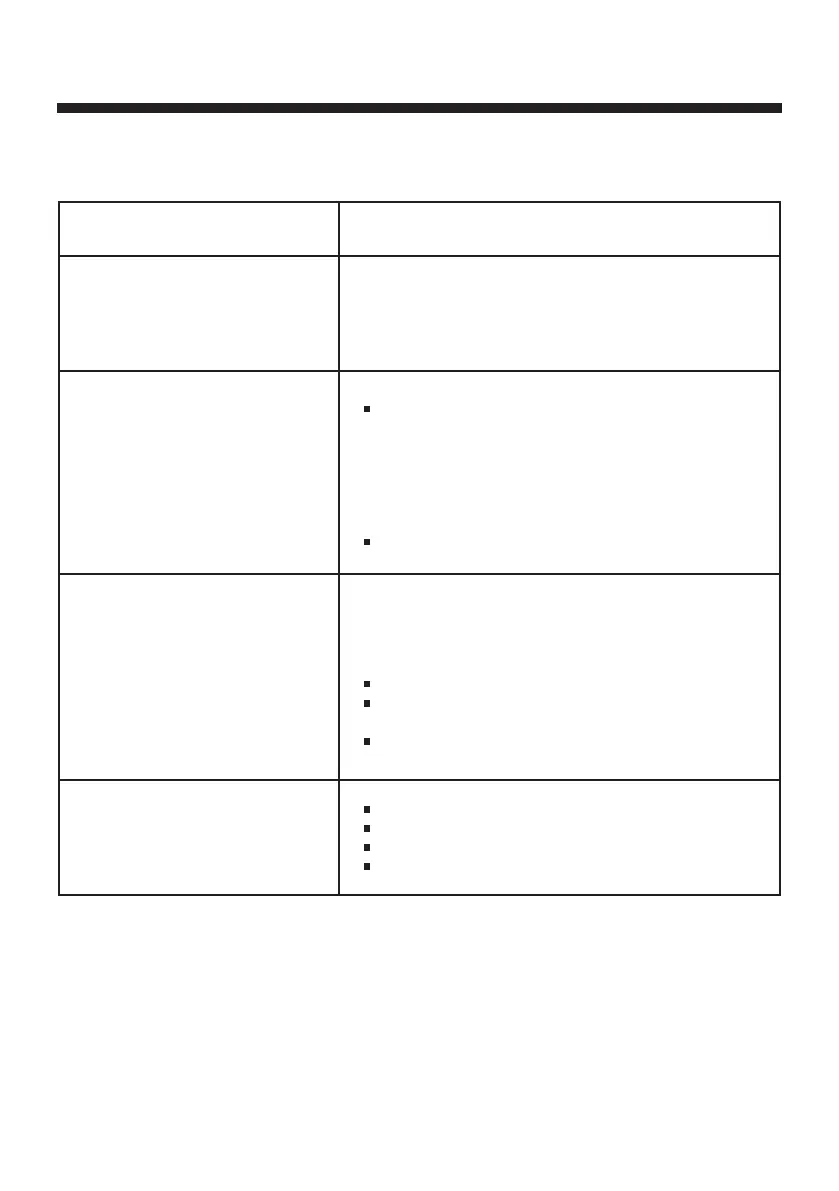
PROBLEM POSSIBLE CAUSE AND SOLUTION
Noise on speaker output when
microphone is connected and turn on
XD8N
Make sure your microphone or microphone cable is in
good condion, grounded and shielded. Internal gain of
voice processing could cause vibraon from poor ground
noise.
Bluetooth cannot connect to XD8N Make sure no other device from your friend or family is
connected to XD8N. When XD8N Bluetooth is connected,
press BLUETOOTH buon would stay ON. So make sure
XD8N indicang Bluetooth is ready to connect. Also make
sure your smartphone / tablet is located close to XD8N less
than 2 meters when pairing.
Hold the BLUETOOTH buon to reconnect again.
No sound on selected source
Ensure that the XD8N is powered ON
Check the master volume on the XD8N
Check the volume level on paired Bluetooth device
Remove the power adapter and reconnect again.
Intermient Bluetooth music
streaming
The wireless Bluetooth distance of XD8N is about 7-l0 meter
in open area. Below condions could block you Bluetooth
signal and please ensure you would get rid of those:
Metal protecon on case for your phone/tablet
Metal or wall is blocking in between your phone / tablet
and XD8N
Another Bluetooth device is working close toXD8N
E5


 To Next Page
 Loading...