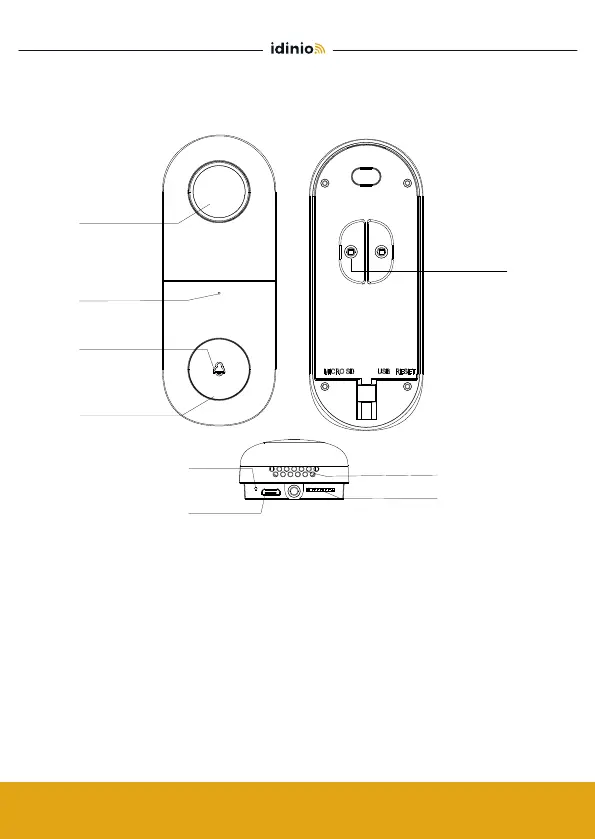
Fig. 1
A x 2 B x 2
C x 3
i
AC 8V~24V
External
power port
Microphone
Button
Status Light
Camera
SD card slot
Speaker
Reset
Mini USB
AC 8V~24V
Press the button to activate the doorbell
∙ Red light solid on: the camera or network is abnormal
∙ Red light blinking: awaiting WiFi connection, or currently
connecting (faster blinking)
∙ Blue light solid on: camera running correctly
Captures sound for your video
Supports local SD Card storage (Max.128G)
Press and hold on for 5 seconds with pin to reset the doorbell
(unable to unbind the bell from account)
Power Port:
Doorbell button:
Status light:
Microphone:
Micro SD card slot:
Reset:



 To Next Page