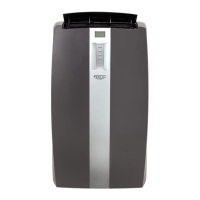
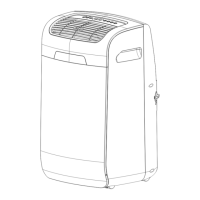
This document describes the Idylis portable air conditioner, model number 0416709. It provides instructions for assembly, operation, and maintenance, along with safety information, a parts list, and warranty details.
Function Description:
The Idylis portable air conditioner is designed to cool, dehumidify, and circulate air in a room. It exhausts large amounts of room air, so adequate make-up air is essential for efficient operation. The unit features a control panel and a remote control for easy operation. It can be set to different operating modes: Cooling, Dehumidify, and Fan Only. The cooling mode allows for temperature adjustment, while the dehumidifier mode helps remove excess moisture from the air. The fan-only mode circulates air without cooling or dehumidifying. The unit also includes an auto-timer function for scheduled operation. A warning light indicates when the internal water tank is full, at which point the unit will stop running until drained.
Important Technical Specifications:
- Power Supply: 115V/60Hz grounded electrical outlet.
- Current Draw: 9.5 nameplate amps.
- Receptacle Requirement: General purpose 15 amp household grounded receptacle.
- Exhaust Hose Length: Minimum 21-13/20 inches, maximum 66-3/20 inches when fully extended.
- Temperature Settings (Cooling Mode): Adjustable between 16°C (61°F) to 32°C (89°F).
- Fan Speeds: High, Medium, Low (selectable in Cooling and Fan modes; fixed at Low in Dehumidify mode if room temperature is below 77°F/26°C).
- Auto-Timer: Programmable from 1 to 24 hours for delayed On or Off operation.
- Remote Control Range: Operates within 26 ft. from the receiver on the main unit.
- Remote Control Batteries: Two AAA Alkaline batteries (included).
- FCC Compliance: Class B digital apparatus, complies with ICES-003.
Usage Features:
- Control Panel: Features a power switch, mode selection button (Cool, Dehumidify, Fan), fan speed selection (High, Medium, Low), auto-timer button, and up/down buttons for temperature/time adjustment. The display toggles between Celsius and Fahrenheit by pressing both up and down buttons simultaneously for more than 3 seconds.
- Remote Control: Provides convenient operation with buttons for power, mode, fan speed, on/off timer, and time/temperature set.
- Cooling Mode: Requires the exhaust hose to be properly vented outdoors. Allows users to set a desired temperature and fan speed. Cooling automatically stops when the set temperature is reached and resumes when the room temperature rises.
- Dehumidify Mode: The exhaust hose does not need to be vented outdoors. The unit will remove moisture from the air. Temperature adjustment is not available in this mode, and fan speed is fixed at LOW if the room temperature is below 77°F (26°C).
- Fan Mode: The exhaust hose does not need to be vented outdoors. Allows users to select a desired fan speed (Low, Medium, High) to circulate air.
- Continuous Drain Function: In dehumidifier mode, a drain hose (Q) can be connected to the unit for continuous water drainage, eliminating the need to frequently empty the internal water tank. The drain hose must be placed horizontally below the drainage hole. A standard garden hose can be used as a replacement if the supplied hose is damaged or misplaced.
- Power Cord Safety: The power cord includes a current leakage detection device with "TEST" and "RESET" buttons to ensure proper functionality and reduce fire risk. The reset button must always be engaged for correct operation.
Maintenance Features:
- Cleaning the Unit: Disconnect from power before cleaning. Do not use gasoline, benzene, thinner, or other chemicals. Do not pour water directly over the unit. Wipe dirt/dust with a soft damp cloth or vacuum cleaner, then dry with a soft cloth. Store the unit in a vertical position and avoid placing heavy objects on top.
- Air Filter Cleaning: The air filter, located at the upper rear side of the unit, should be cleaned every two weeks, or more frequently depending on indoor air quality. To clean, pull the filter cover upward, remove the filter, vacuum dust/dirt, or wash with lukewarm, soapy water and a mild detergent. Rinse well and allow to dry completely before reinstalling. Never operate the unit without the air filter in place. Replacement air filters are available by contacting customer service.
- Draining Excess Water: When the internal water tank is full, a warning light will illuminate, and the unit will stop operating. To drain, place a pan under the water outlet drain (E), unscrew the drain cover, remove the soft rubber stopper, and allow water to drain. Replace the stopper and cover once drained. Operate the unit in Fan Mode to dry the interior after draining.
- Remote Control Battery Replacement: Gently slide the rear cover, insert two AAA Alkaline batteries with correct polarity, and reinstall the cover. Remove batteries if the remote will not be used for extended periods. Do not mix old and new batteries, or different battery types. Dead batteries must be disposed of properly.

 Need help?
 General

 To Next Page