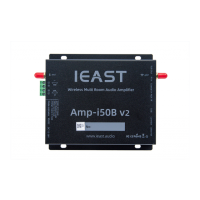
Interfaces and Function
-WiFi Antenna: For WiFiconnection.
-Bluetooth Antenna: ForBluetoothconnection.
-Ethernet: Connectthe device through the network cable(Ethernetconnection is
successful:Indicator light-solid).
-Connect: Multi-functionbutton
Short pressto switch mode
Greenlight long press for 3s: Wi-Finetwork conguration mode
Bluelight long pressfor 3s: Bluetooth pairing mode
Long press the white light for 3s: Restorefactory settings
-USB: To play music from USBash driver.
-AUX In: For external audio input device, including CD/DVD/TV…
-Coaxial In: For external Digital audio input device, including CD/DVD/TV…
-IRIn: To use the features on the remote controller, please connect the
IRreceiver rst.
-SUB out: Connect an activesubwoofer.
-
Speaker Connector:Can be connected to 4 Ω or 8Ω passive speakers
-Mode indicator (Two-color indicator light*2):
Power on: Green-blink
Standby: Green-slowblink
Wi-Fimode: green-solid
Bluetooth: blue light-solid
AUXin: white-solid
Coaxialin: orange-solid
-RS232: To control features from the central control consoles,
please contact us or the local sellersto get the RS232commands.
DC: 24V/3.3A
Ethernet IRUSB
Connect
RS232
AUX in
WiFiAntenna
Bluetooth Antenna
DC
Speaker
Connector
Mode indicator
SUBout
Coaxial in
Note:
-Please usethe accessoriesprovided bythe manufacturer.
-The cable is connected rmly to avoid malfunction of the device due to the problem of the cable
connection.
Page 5


 To Next Page
 Loading...