Need help?
Do you have a question about the ifrogz AIRTIME PREMIER and is the answer not in the manual?
Welcome message and overview of AIRTIME PREMIER earbuds.
Step-by-step guide to connect earbuds to your Bluetooth device.
Instructions for powering earbuds on and off, including single bud use.
Touch controls for music playback, pausing, skipping tracks, and volume.
Touch controls for answering/ending calls and activating voice commands.
Step-by-step guide to reset earbuds to factory default settings.
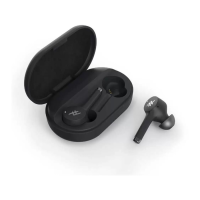
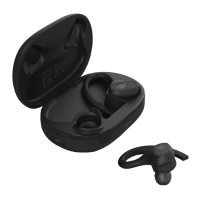
The AIRTIME™ PREMIER are truly wireless earbuds designed for an untethered audio experience, allowing users to enjoy music and manage calls without the constraints of wires. These earbuds are designed for ease of use, featuring intuitive touch controls and a portable charging case that extends their battery life.
The primary function of the AIRTIME™ PREMIER earbuds is to provide high-quality wireless audio. They connect to a user's device via Bluetooth®, enabling playback of music, podcasts, and other audio content. Beyond audio playback, the earbuds facilitate hands-free communication, allowing users to answer, end, and cancel calls directly from the earbuds. They also integrate with voice command systems like Siri, offering a convenient way to interact with a connected device. The design emphasizes freedom of movement, making them suitable for various activities where wires would be cumbersome.
To begin using the AIRTIME™ PREMIER earbuds, users simply open the charging case and remove the buds. This action automatically sends a pairing signal to the Bluetooth® device. The earbuds will indicate pairing mode by flashing white and red lights. Users then need to ensure their device's Bluetooth® connection is active and select "IFROGZ Airtime Premier" from the list of available devices. Once successfully paired, the earbuds' lights will flash white and then turn off, confirming the connection. The earbuds are then ready for use.
Turning the earbuds on is as simple as removing them from their charging case. To turn them off, users can return them to the case. Alternatively, for manual power off, pressing and holding the IFROGZ icon on an earbud for ten seconds will turn it off, indicated by a red flash. The earbuds are also designed to conserve power by entering hibernation mode if left unused for 20 minutes.
The AIRTIME™ PREMIER offers flexibility for single-bud use. If a user wishes to use only one earbud, they should remove the right earbud from the case. The right earbud functions as the primary bud and can operate independently. It's important to note that the left earbud will not work alone unless the right earbud is also removed from the case, highlighting the primary role of the right earbud in the system.
The earbuds feature built-in touch navigational controls, located on the IFROGZ logo on the end of each earbud. These controls allow users to manage music playback and calls without needing to interact directly with their connected device.
Music Controls:
Call Controls:
The portable charging case is integral to the maintenance and longevity of the earbuds. The case holds enough power to recharge the earbuds multiple times. To charge the earbuds, users simply place them into the charge case. A red light on the earbuds will illuminate to indicate that charging is in progress. Once the red light disappears, it signifies that the earbuds are fully charged. The case itself may need to be recharged periodically.
The charging case comes pre-charged, but users will need to recharge it to maintain its functionality.
To check how much power the charging case still holds, users should place the earbuds into the case. The LED on the front of the case will illuminate, providing an indication of the remaining battery level:
A factory reset can be a useful troubleshooting step for various issues. The process involves several steps for both earbuds:
The AIRTIME™ PREMIER earbuds are designed for a seamless and enjoyable wireless audio experience, with features that prioritize user convenience, extended use, and straightforward maintenance.
 General
| Type | In-ear |
|---|---|
| Wireless | Yes |
| Water Resistance | IPX5 |
| Charging Case | Yes |
| Microphone | Yes |
| Driver Size | 6mm |
| Frequency Response | 20Hz - 20kHz |
| Impedance | 16 Ohms |
| Foldable | No |
| Wireless Range | 10 meters |

 To Next Page