Functions summary
Answering a call: Press MFB once quickly
Ending a call: Press MFB once quickly
Rejecting a call: Press and hold MFB for about two seconds
Redialing the last number: Press MFB twice quickly
Play/pause music: During playback, Press MFB quickly
Song Change: Press MFB thrice quickly
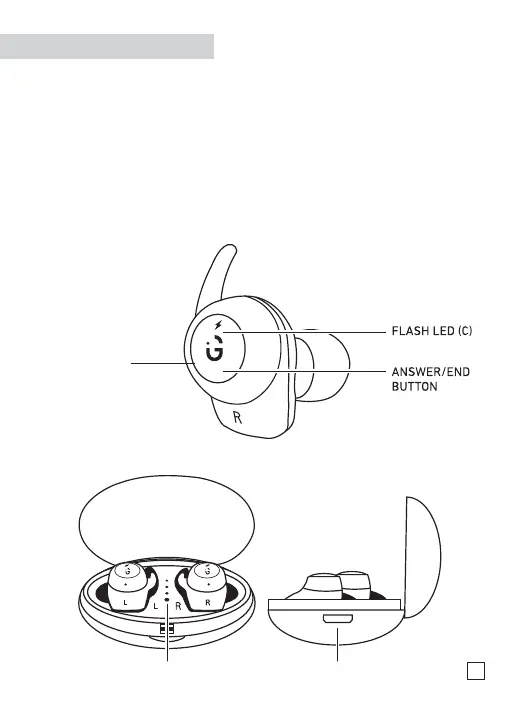
Multi-Functional
Button (MFB)
Front
LED (B) Micro-USB input (A)
Right Side
2


 To Next Page