Need help?
Do you have a question about the Iget ACTIVE A6 and is the answer not in the manual?
Instructions for powering on the watch by pressing the power button.
Instructions for powering off the watch by pressing the power button.
Guidance on charging the watch using the docking cradle.
Steps to download and install the iGET GO application on a mobile phone.
Guide on connecting the watch to a mobile phone via Bluetooth and the iGET GO app.
Instructions for disconnecting the watch from the mobile phone.
How to select and confirm different watch faces using the touchscreen.
Procedure to calibrate watch sensors for accurate temperature, altitude, and pressure readings.
Using the feature to measure and view heart rate data.
Description of step tracking and where to view recorded data.
How the watch records and displays sleep data.
Guide to selecting sport modes, setting goals, and tracking activities.
Displaying current weather status, temperature, and conditions.
Utilizing the barometer to find atmospheric pressure data for weather prediction.
Function to inform about current altitude, requiring sensor calibration.
Enables GPS device location detection for features like sport mode maps.
Viewing app notifications like SMS, Facebook, and Whatsapp.
Reading and replying to SMS messages from the phone.
Viewing phone contact information and making calls.
Controlling the watch functions using voice commands.
Playing and switching music from a connected smartphone.
Using the smartwatch as a remote control for the mobile phone camera.
Capability to record audio using the watch's microphone.
Setting the alarm clock and receiving vibration alerts.
Viewing and browsing the calendar on the smartwatch.
Accessing and configuring various watch settings.
Setting the LCD to activate by wrist gesture.
Adjusting melodies and volume for watch notifications.
Configuring screen brightness and timeout.
Viewing detailed information about the watch.
Selecting the preferred language for the watch interface.
Displaying the current battery level of the watch.
Resetting the watch to its original factory settings.
Setting reminders for sedentary style and activity.
Fields for product, model, serial number, and sale date.
Information for customers regarding warranty coverage and product use.
List of conditions and damages that void the product warranty.
Clarification on warranty coverage for normal wear and tear of components.
 General
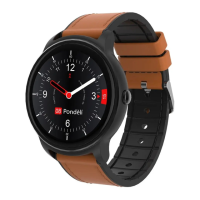
| Shape | Round |
|---|---|
| Band material | Silicone |
| Watch case size | 46 mm |
| Watch case color | Black |
| Market positioning | Smartwatch |
| Watch case material | - |
| International Protection (IP) code | IP66 |
| Display type | Digital |
| Display diagonal | 1.3 \ |
| Display resolution | 240 x 240 pixels |
| Display technology | LCD |
| RAM capacity | 64 MB |
| Processor model | MTK2502C |
| Built-in microphone | Yes |
| Processor manufacturer | Qualcomm |
| Bluetooth version | 4.0 |
| Battery capacity | 350 mAh |
| Battery life (max) | - h |
| Battery life (GPS mode) | 9 h |
| Package depth | 58 mm |
| Package width | 133 mm |
| Package height | 130 mm |
| Package weight | 252 g |
| Cables included | USB |
 Weight and Dimensions
| Width | 265 mm |
|---|---|
| Weight | 60 g |
| Thickness | 14.5 mm |


 To Next Page