22
CZ
SK
EN
PL
HU
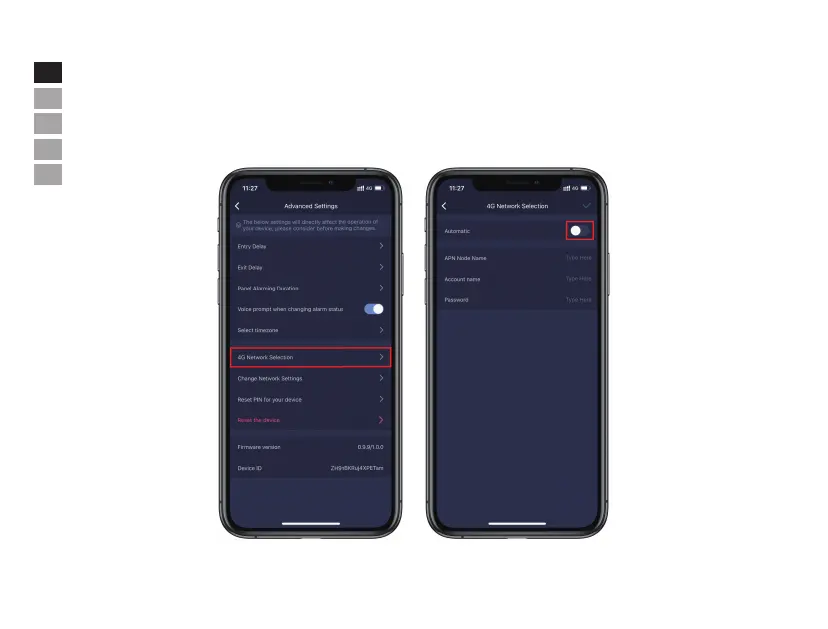
• 4G Network Selection (Only in "M5-4G")
- Press [System Settings].
- Scroll down and tap [More].
- Tap [4G Network Selection] and make sure the feature is enabled.
- M5-4G module applies to the most of carriers, if there is any configuration change on your 4G network, "Automatic" can be turned o manually
to input APN information.
Note: The default setting for "4G" feature is on and set as "Automatic". In the event of LAN & WiFi disconnection and main panel
reconnection timeout(failure lasting for about 1min), the main panel will enable 4G function for network connection.


 To Next Page