1. Plug in your Back-O-Sage™ device and charge fully before your first use. 2.
During charging operation, plug the power adapter end into the main units
charging port. The adapter will display a red light when charging and a green
light when fully charged.
Instructions For Use:
1. To activate massage, press and hold the button labeled for 3-5 seconds. The first
of 5 massage modes will turn on. The default time for massage mode is 30 minutes. Once
the designated 30 minutes is up, the device will automatically stop the massage.
2. To select your massage mode preference, press the button until you’ve found the
desired massage technique. The Back-O-Sage™ offers 5 various massage techniques.
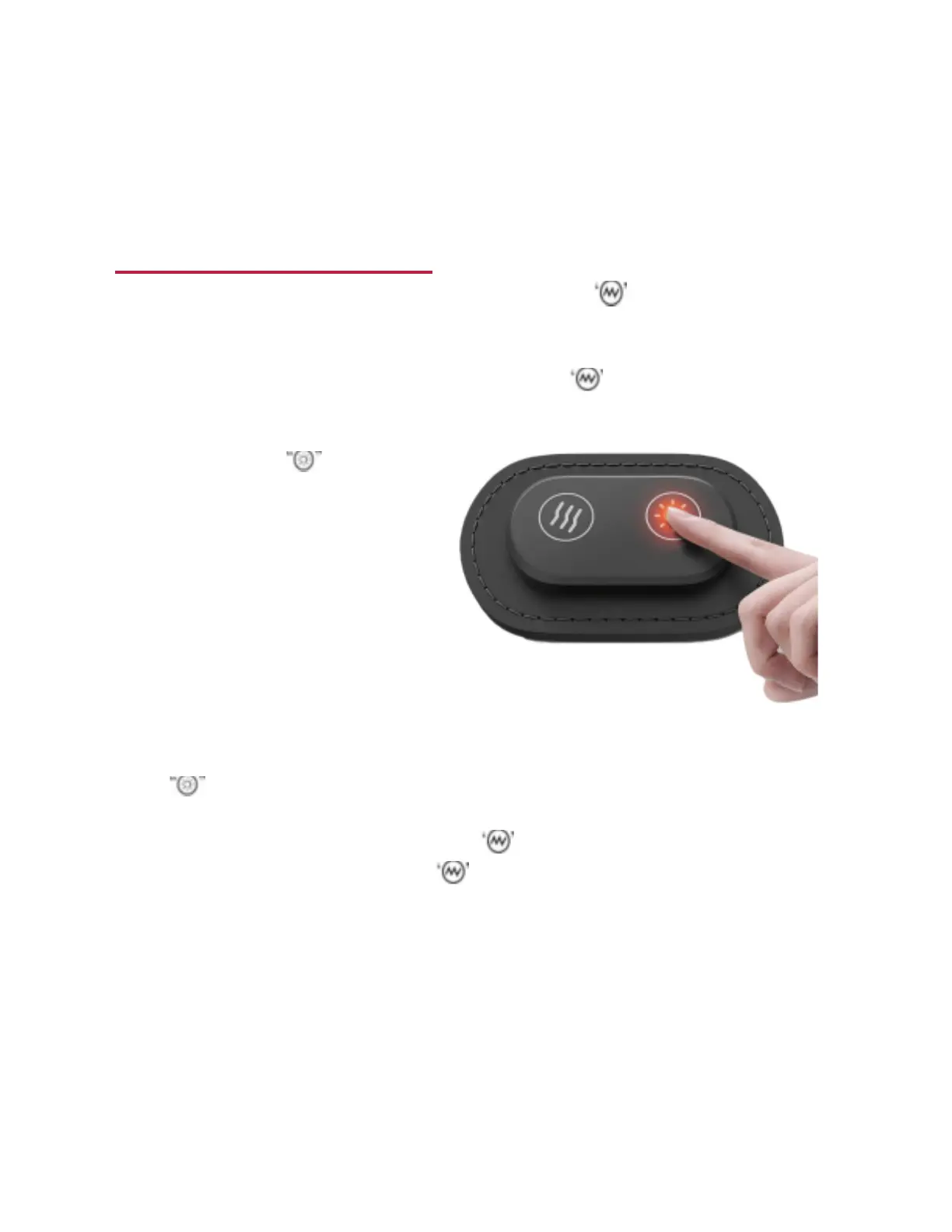
3. To activate heat, press and hold the
button labeled for 3-5
seconds. The first heat setting to
activate is High Temperature- Red
(60° C). After 6 minutes, the device
will
automatically change to the
Medium
Temperature - Blue (50° C). After an
additional 6 minutes the device will
automatically change to the Low
Temperature - Green (40° C).
4. To select your heat mode preference, press the
b button until you’ve found the desired heat setting. The
Back-O-Sage™ offers 3 various heat settings.
5. To turn the device off: Press and hold the button for 3-5 seconds to turn off the
massage mode. Press and hold the button 3-5 seconds to turn off the heat
function.
2 | P a g e
IGIA™ BACK-O-SAGE™


 To Next Page