GJ
~~,-·~~·
GJ
1--------------------,
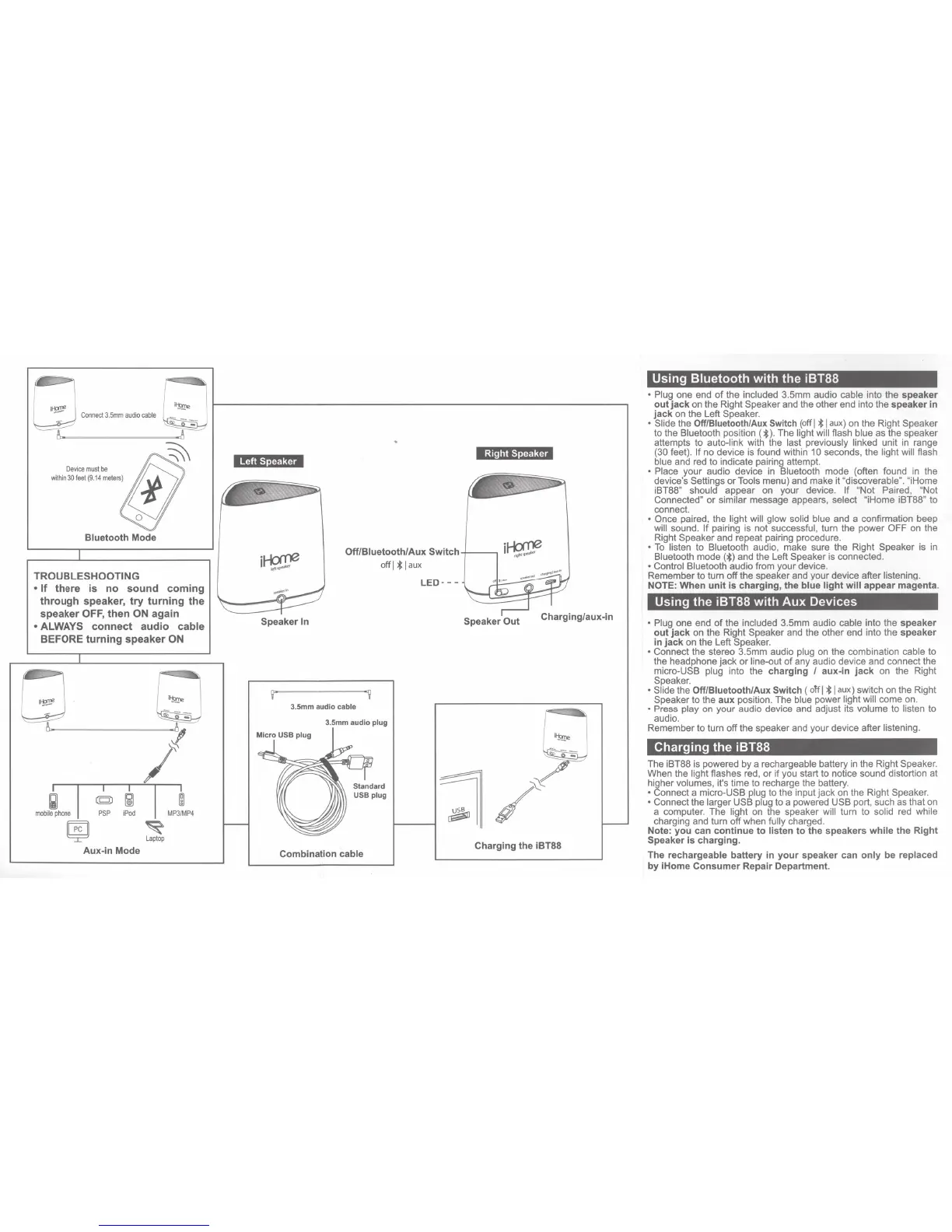
Bluetooth
Mode
TROUBLESHOOTING
•
If
there is no
sound
coming
through speaker,
try
turning
the
speaker
OFF,
then
ON
again
• ALWAYS
connect
audio cable
BEFORE
turning
speaker
ON
GJ
Aux-in Mode
ri
~
~
Laptop
Right Speaker
Off/Biuetooth/Aux
Switch+---,
i~
off
I*
I
aux
LED---
Speaker In Speaker
Out
3.5mm audio cable
3.5mm audio plug
Combination cable
Charging the iBT88
Using
Bluetooth
with
the
iBT88
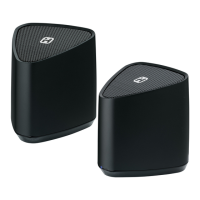
• Plug one end of the included 3.5mm audio cable into the speaker
out
jack
on
the Right Speaker and the other end into the speaker in
jack
on
the Left Speaker.
• Slide the Off/Biuetooth/Aux Switch
(off
I * I
aux)
on
the Right Speaker
to the Bluetooth position ( * ). The light will flash blue
as
the speaker
attempts to auto-link with the last previously linked unit
in
range
(30 feet). If no device
is
found within
10
seconds, the light will flash
blue
and
red
to indicate pairing attempt.
• Place your audio device
in
Bluetooth mode (often found
in
the
device's Settings or Tools menu) and make it "discoverable". "iHome
iBT88" should appear
on
your device. If "Not Paired, "Not
Connected" or similar message appears, select "iHome iBT88" to
connect.
• Once paired, the light will glow solid blue and a confirmation beep
will sound.
If
pairing
is
not successful, turn the power
OFF
on
the
Right Speaker and repeat pairing procedure.
•
To
listen to Bluetooth audio, make sure the Right Speaker
is
in
Bluetooth mode
(*)and
the Left Speaker
is
connected.
• Control Bluetooth audio from your device.
Remember to turn off the speaker and your device after listening.
NOTE:
When
unit
is
charging, the blue
light
will
appear magenta.
Using
the
iBT88
with
Aux
Devices
• Plug one end of the included 3.5mm audio cable into the speaker
out
jack
on
the Right Speaker
and
the other end into the speaker
in
jack
on
the Left Speaker.
• Connect the stereo 3.5mm audio plug
on
the combination cable to
the headphone jack or line-out of any audio device and connect the
micro-USB plug into the
charging
I aux-in
jack
on
the Right
Speaker.
• Slide the Off/Biuetooth/Aux Switch
(off
I*
I
aux)
switch
on
the Right
Speaker to the
aux
position. The blue power light will come
on
.
- Press play
on
your audio device
and
adjust its volume to listen to
audio.
Remember to turn off the speaker
and
your device after listening.
Charging
the
iBT88
The iBT88
is
powered by a rechargeable battery
in
the Right Speaker.
When the light flashes
red
, or if you start to notice sound distortion at
higher volumes, it's time
to
recharge the battery.
• Connect a micro-USB plug to the input jack
on
the Right Speaker.
• Connect the larger USB plug to a powered USB port, such
as
that
on
a computer. The light
on
the speaker will turn to solid
red
while
charging
and
turn off when fully charged.
Note:
you
can
continue
to
listen
to
the speakers
while
the
Right
Speaker
is
charging.
The
rechargeable battery in
your
speaker can
only
be replaced
by
iHome
Consumer
Repair Department.


 To Next Page
 Loading...