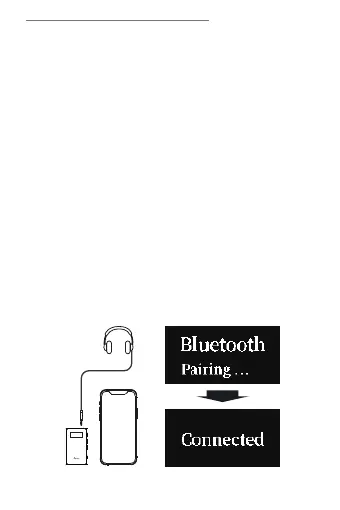
①Bluetooth Pairing
After turning on the ITB03, the screen shows PAIRING,
and open Bluetooth of your device to connect it. After
successful connection, the screen shows Connected,
and the main page shows the icon of wireless
connection.
②NFC Pairing
With turning on the ITB03, the screen shows PAIRING,
turn on the NFC function of your phone, and Contact the
device NFC identification area. After successfully
connection, the screen shows Connected, and the main
page shows the icon of wireless connection.
Connection
1.Wireless Connection
16


 To Next Page