ForWarrantyInformationandthemostup‐to‐dateversionofthisUser’sGuide,gotowww.iLiveElectronics.com
CustomerService:1‐888‐999‐4215
EmailSupport:prodinfo@dpiinc.com,EmailParts:partsinfo@dpiinc.com
Copyright©2012DigitalProductsInternational(DPI,Inc.)Allothertrademarksappearinghereinaretheproperty
oftheirrespectiveowners.Specifications
aresubjecttochangewithoutnotice.
BluetoothSetup
PairingaBluetoothDevicefortheFirstTime
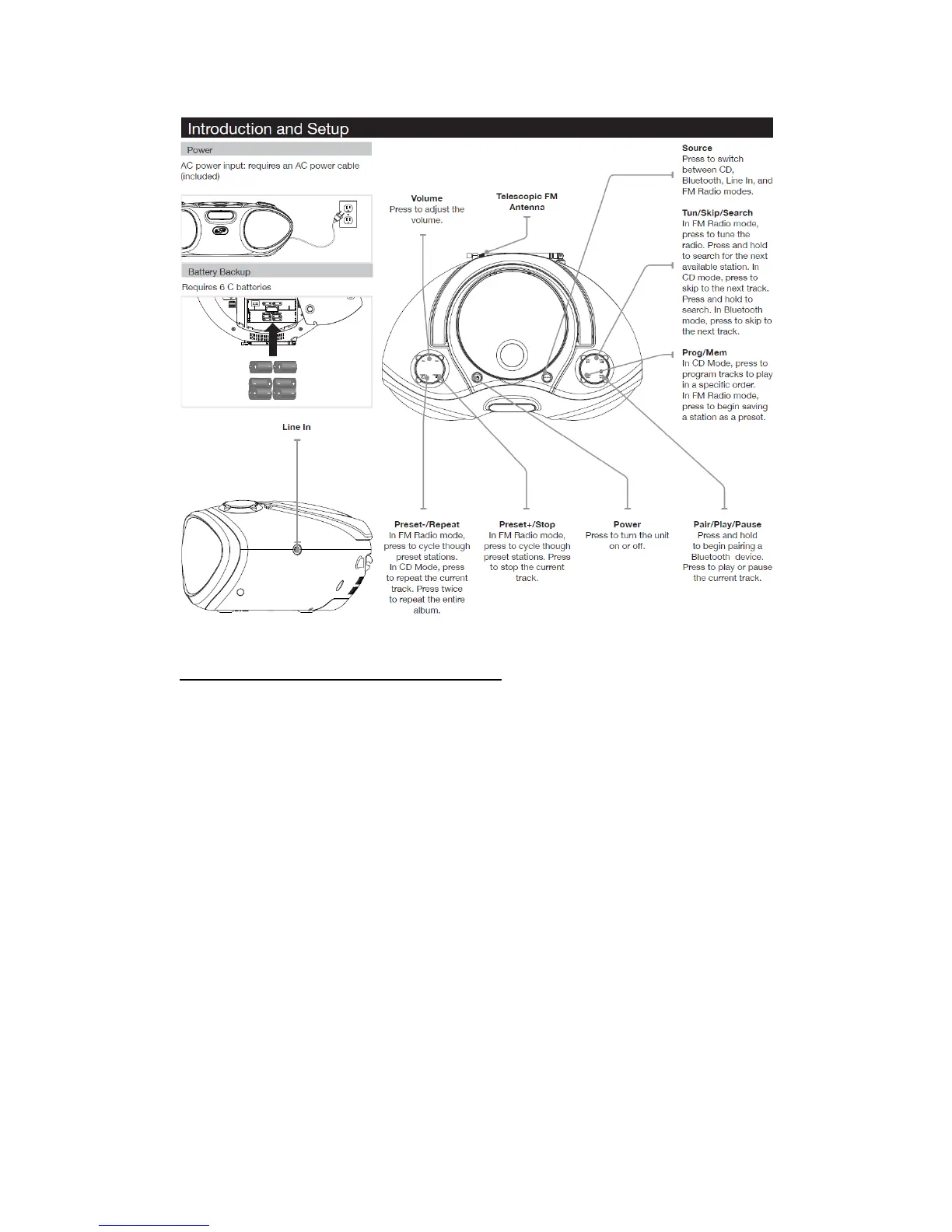
1. PowerontheunitbypressingthePowerbutton.
2. PresstheSourcebuttontoswitchtoBluetoothMode.
Thedisplaywillshowtheflashingletters“bt”.
3. “BT”willflashquicklyonthedisplay.
Whenpairing,remainwithin3feetoftheunit.
Iftheunitdoesnotautomatically
begintopair,pressandholdthePairbutton.
4. UsingthenativecontrolsonyourBluetoothdevice,selectthe“IBC233”inyour
Bluetoothsettingstopair.
Ifyourdevicerequestsapassword,enterthedefaultpassword“0000”.
Refertotheuser’smanualforyour
specificdeviceforinstructionsonpairingand
connectingBluetoothdevices.
5. Whensuccessfullypaired,thedisplaywillstopflashing.
Afterinitialpairing,theunitwillstaypairedunlessunpairedmanuallybytheuser


 To Next Page