Overview Features / Includes
• Bluetooth wireless
• Wireless range: 60 ft
• Aux In
•
• Micro-USB port for battery recharge
• DC battery power: built-in rechargeable
lithium ion battery
• Battery life - approx. 3 hrs
• Micro-USB charging cable
Charging the Speaker
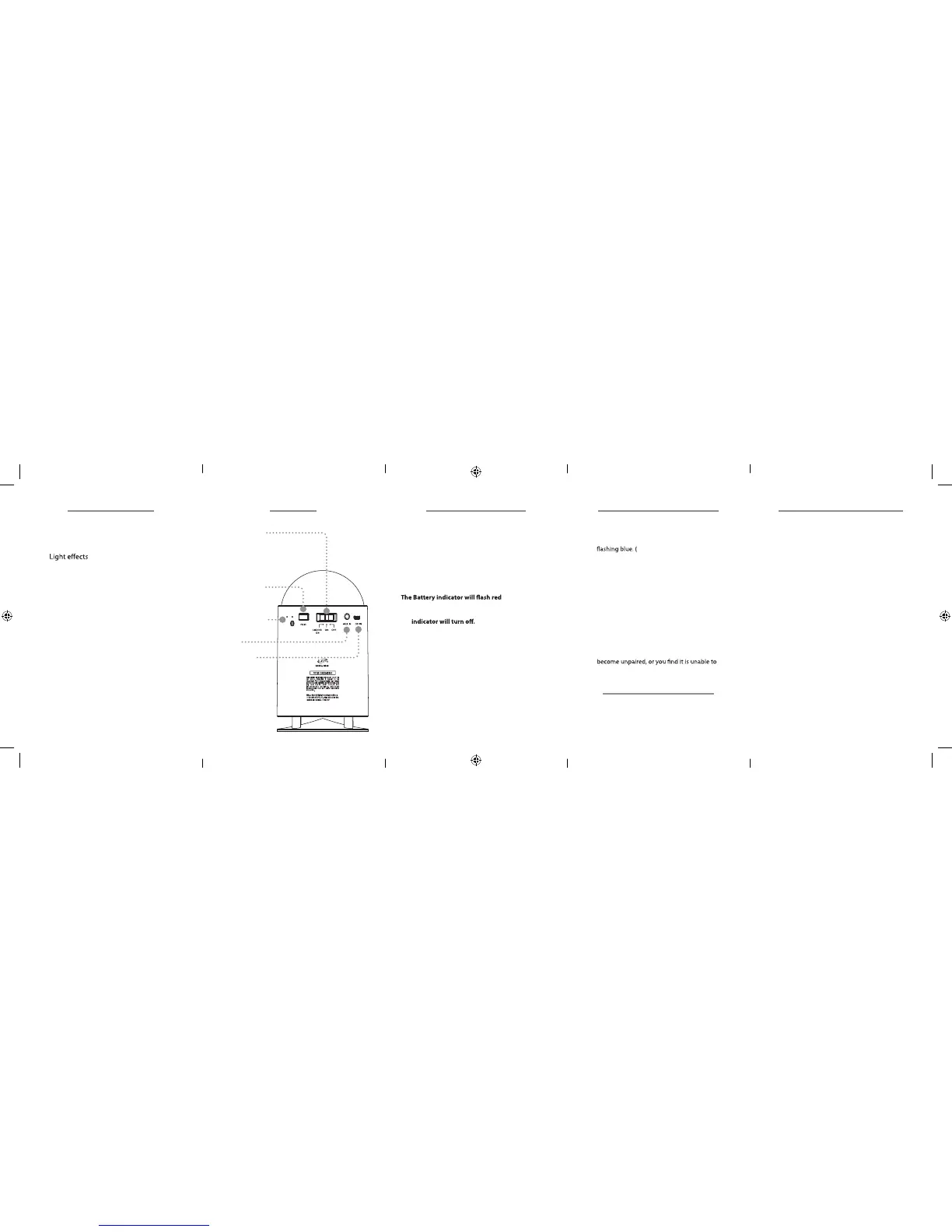
Lights / Power
Slide switch to ON to power
the speaker.
Slide Switch to Lights ON to
power the lights and speaker.
Battery &
Wireless Status
Pair Bluetooth
Micro-USB
Power Port
Aux In
Requires a Micro-USB to USB cable (included).
1. Using a Micro-USB to USB cable (included),
connect the larger USB plug to the USB port of a
powered on computer or USB power adaptor.
2. Connect the smaller Micro-USB plug into the
Micro-USB port of the speaker. The unit will now
charge. Be sure the computer is not in sleep mode.
if the battery is
low. When the unit is charging, the Battery indicator
will display solid red. When the unit is fully charged,
the
Requires a 3.5mm audio cable (not included).
1. Connect a 3.5mm audio cable to the Aux In Input
on the unit and the audio output/headphone
jack on a media player.
2. The unit will automatically detect the input and
switch to Aux In Mode, indicated by a solid
green light on the front of the unit.
3. Use the controls on the connected device to
select and play audio.
Aux In (3.5mm Audio Input)
1. Power on the unit by sliding the Power Switch
to the ON position, and press and hold the Pair
button. The Pairing Indicator will begin quickly
When pairing, remain within 3 feet
of the unit.)
2. Using the controls on your Bluetooth device,
select the ISB46 in your Bluetooth settings to
pair. (If your device requests a password, enter the
default password 0 0 0 0 .)
3. When successfully paired, the Pairing Indicator
will turn solid blue and an audible chime will
sound from the speaker.
After initial pairing, the unit will stay paired
unless unpaired manually by the user, or erased
due to a reset of the device. If your device should
connect normally, repeat the steps above.
Pairing a Bluetooth Device
Playing Audio Wirelessly
1. Once connected, use the controls on your device
to select and play audio.



 To Previous Page