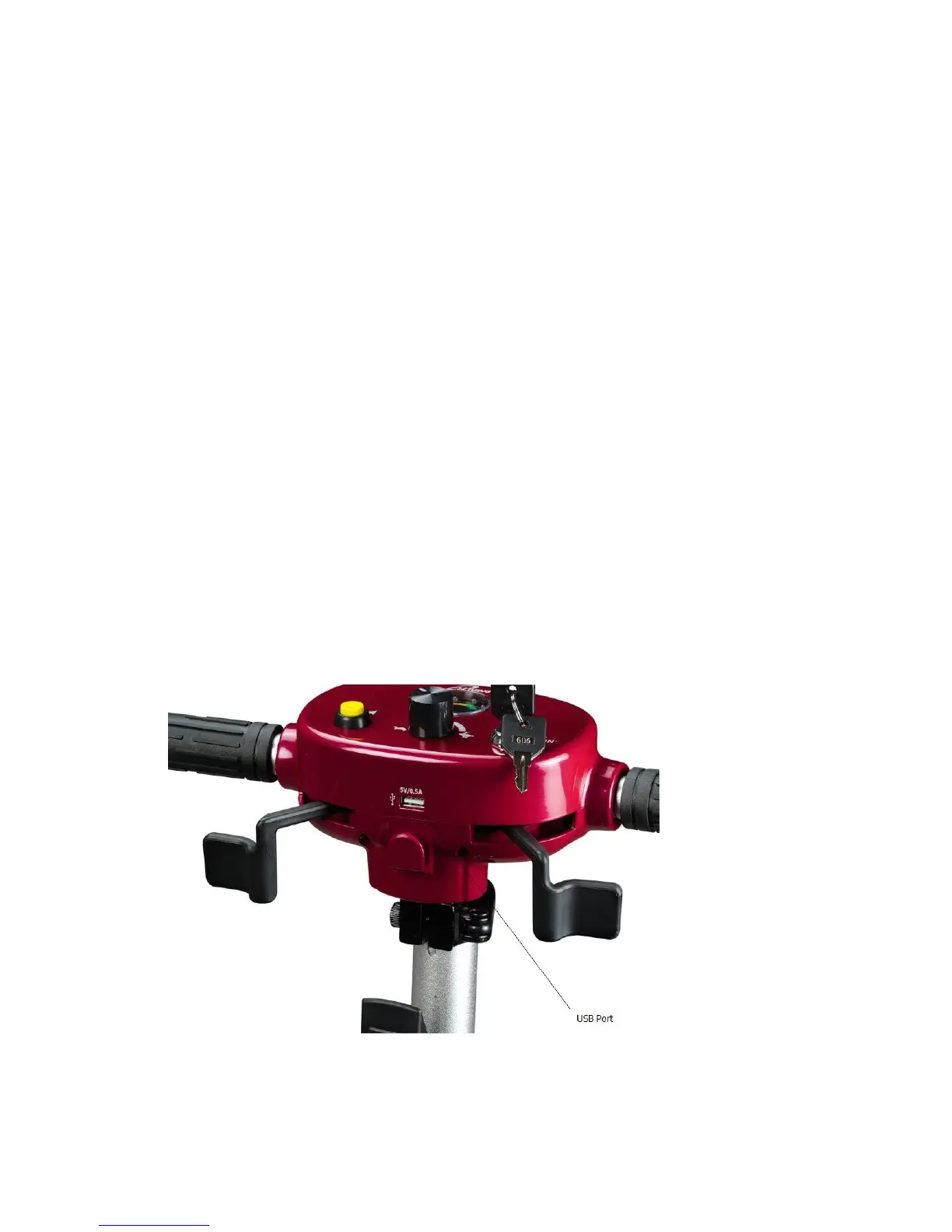
Once the scooter is turned on, the battery display icon should light up and
the light should remain solid. If the battery display icon light is flashing, refer to
the Basic Troubleshooting section for potential scooter malfunction reason.
The yellow horn button will only work if the Horn Switch on the back of the
scooter is turned on. If the Horn Switch is turned on, pressing the yellow horn
button will cause the scooter to emit a brief “beep,” to alert people in front of your
scooter.
If you want the scooter to move forward, push the Speed Control Throttle on
the right hand side. If you want the scooter to move backward, push the Speed
Control Throttle on the left hand side.
Remember to turn off your scooter and remove the keys when the scooter is
not in use. This will help save battery life as well as protect your scooter from
unauthorized use.


 To Next Page