23
EN
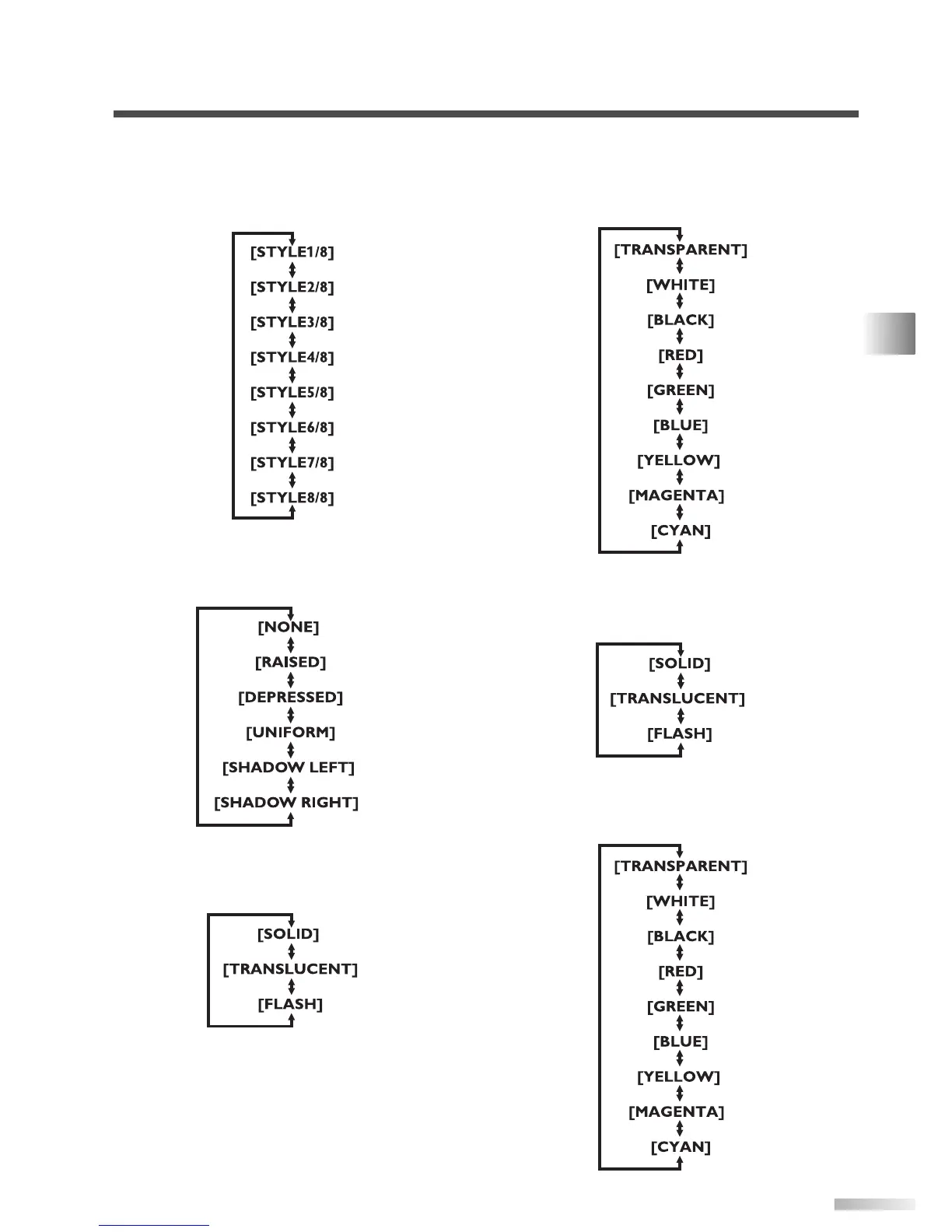
[FONT STYLE]
Font style of the displayed caption can be
switched as below.
[CHARACTER EDGE]
Text edging of the displayed caption can be
switched as below.
[FORE OPACITY]
Text opacity of the displayed caption can be
switched as below.
[FORE COLOR]
Text color of the displayed caption can be
switched as below.
[BACK OPACITY]
Background opacity of the displayed caption can
be switched as below.
[BACK COLOR]
Background color of the displayed caption can
be switched as below.
OPTIONAL SETTINGS



 To Next Page