1
2
3
5
7
6
8
10
9
4
11
13
14
7
4
15
16
12
GETTING STARTED
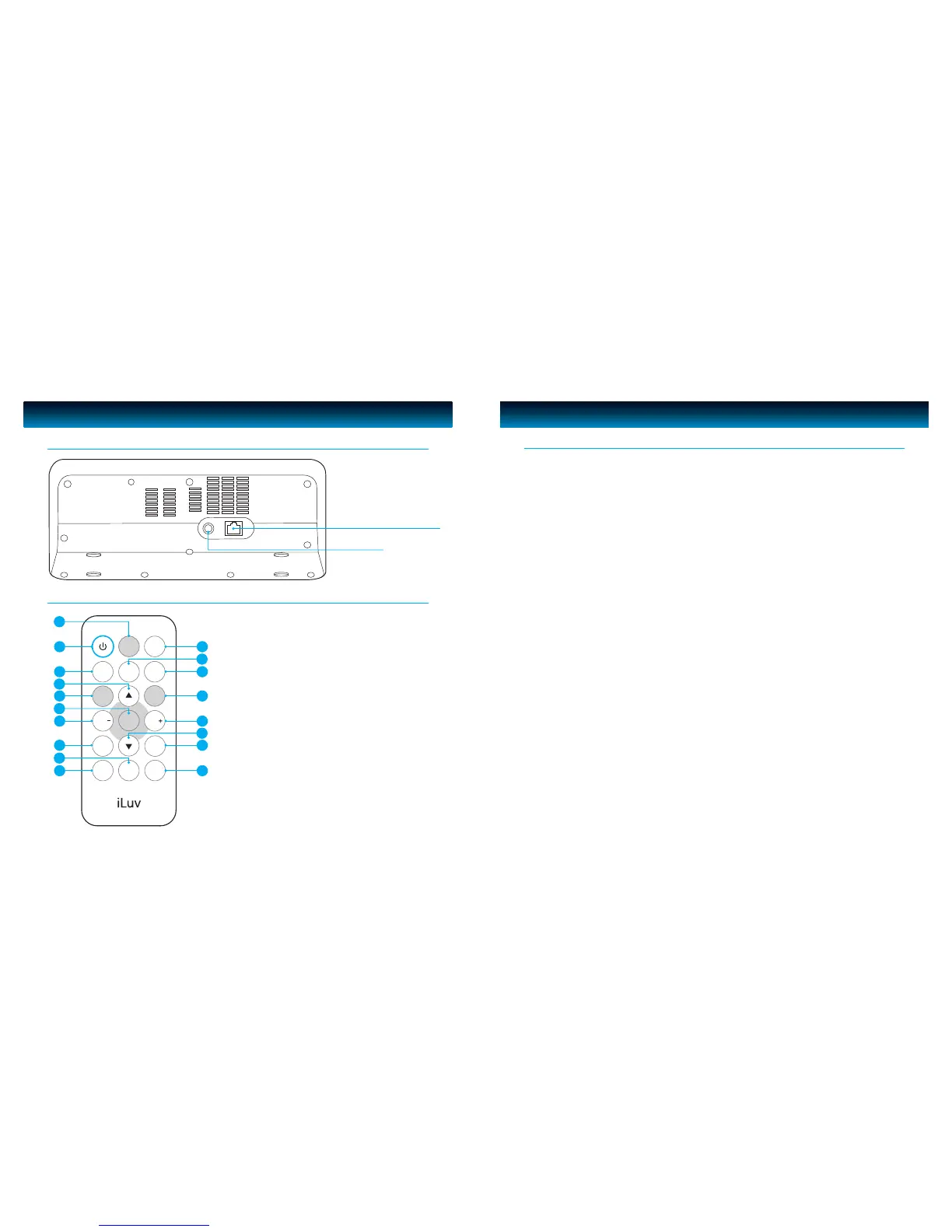
Main Unit
· POWER Press to enter the standby mode. The radio will display the date and time
when in standby mode. Press a second time to return to the previous
selection. When alarm is sounding, press to stop alarm.
· MODE Mode selection: Internet Radio, FM, AUX
· MUTE Mute and release speakers
· ALARM 1 Alarm 1 setting
· ALARM 2 Alarm 2 setting
· SLEEP Press to enter Sleep menu.
· VOL+ Press to increase the volume
· VOL– Press to decrease the volume
· PRESET Hold for a few seconds to store a station into the preset. Short press to select
the preset for playback
· MENU Press to enter the context menu for selected mode. Press a second time to
return to the previous selection
· BACK Press to return to the previously selected menu entry. Repeatedly pressing
the BACK button returns you to the Context menu for the particular mode.
· INFO Press to see information about the service currently playing.
· SCROLL UP Press to scroll up a menu. In FM mode, the SCROLL UP button is also used to
manually tune the radio to the next FM frequency.
· SCROLL DOWN Press to scroll down a menu. In FM mode, the SCROLL DOWN button is also
used to manually tune the radio to the previous FM frequency.
· SELECT Press to select the current menu entry. In FM mode, press to auto scan and
nd the stations.
· SNOOZE/DIMMER Press to start the Snooze mode if the alarm sounds otherwise press to adjust
the LCD dimmer.
Understanding the Controls
iLuv | 5iNT170 | V10M10_IM_EN_101320084 | iLuv


 To Next Page