53
GB
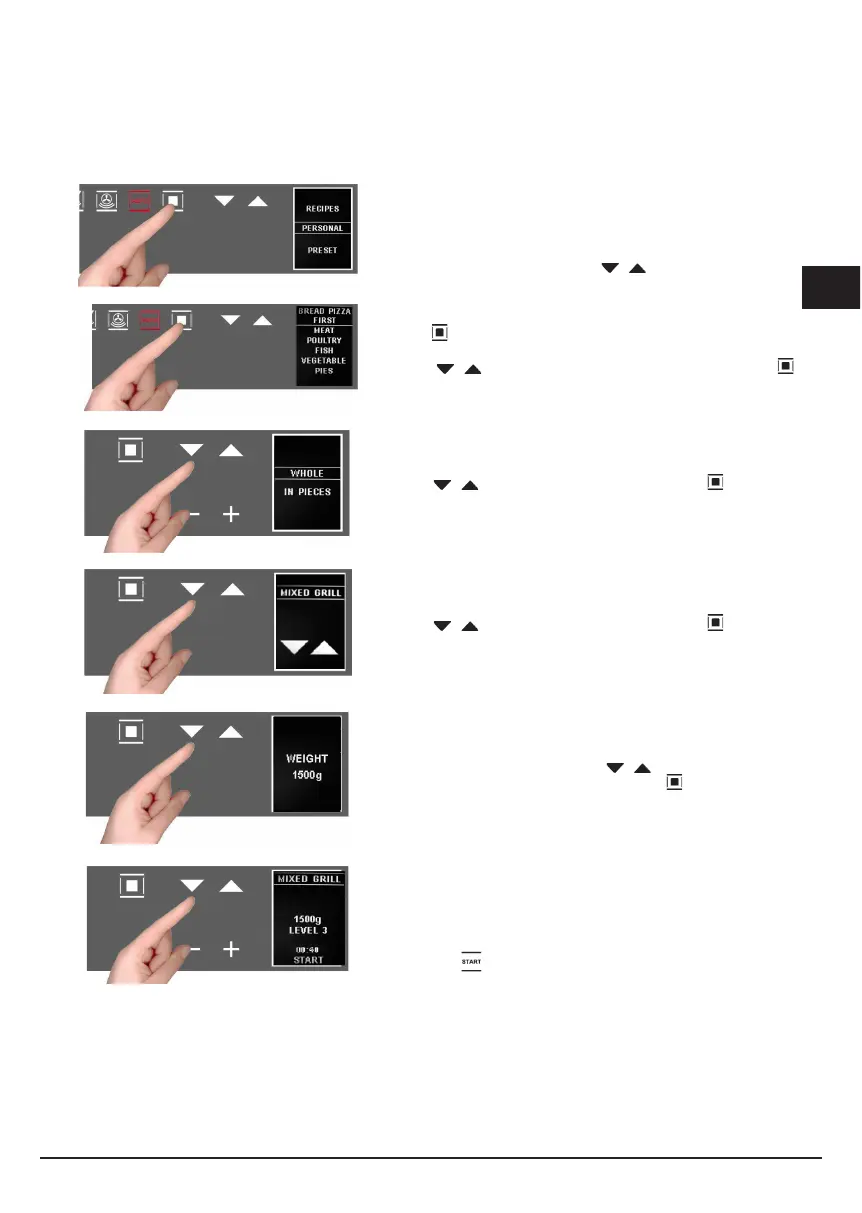
The display shows the 2 options:
- personal recipes;
- preset recipes
Choose the desired setting with the buttons;
using the button, confirm the choice;
the following menu appears;
press the
buttons to select the type of dish and the
button to confirm the choice.
Press the buttons to select the type and the to confirm
the choice.
Press the buttons to select the type and the to confirm
the choice.
The weight screen appears. Use the buttons to select the
preset values and confirm the choice with the
button.
When finished with the settings, the display summarizes the
recipe set. The colon in the cooking time (00:30) will be flashing to
indicate that it can be changed.
To change it, use the - + buttons.
Or select the
function directly and, in this way, the cooking
program starts with a countdown of the preset time on the display.


 To Next Page