E
30
31
IMPERIAL BART 1
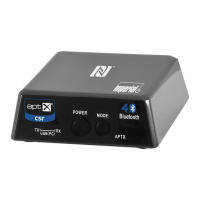
1. TX Mode LED
Shines blue, when the device is set into transmission mode
2. RX Mode LED
Shines blue, when the device is set into receiver mode.
3. Power Button
With this button, you can switch on/switch off the BART 1.
With this button, you can also connect a new bluethooth device.
4. Mode Button
With this button, you can select TX mode or RX mode.
5. aptX LED
This LED is active, when BART 1 is connected to a bluetooth device,
which supports the aptX standard.
6. Micro USB
Please connect the power supply, included in delivery content, with
this jack.
You can alternatively connect the BART 1 to PC or LAPTOP with this
jack.
5. ILLUSTRATIONS


 To Next Page