EasyManua.ls Logo

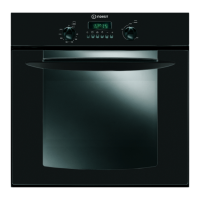
Indesit FI 31 K.B GB - User Manual

Indesit FI 31 K.B GB
12 pages
Print Icon
To Next Page IconTo Next Page
Loading...
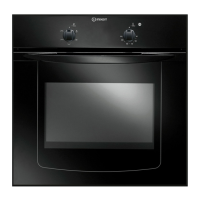
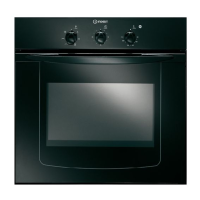
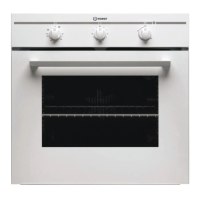
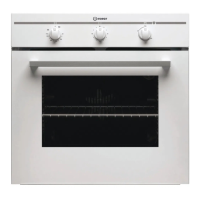
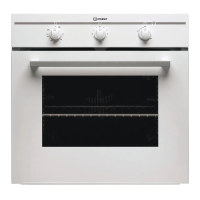
FI 31 K.B GB
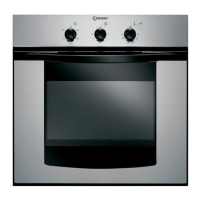
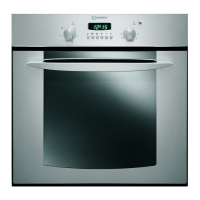
FI 31 K.B IX GB
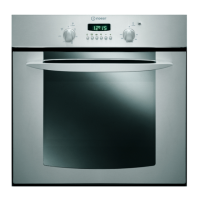
FIE 36 K.B GB
FIE 36 K.B IX GB
Contents
Installation, 2-3
Positioning
Electrical connections
Data plate
Description of the appliance, 4
Overall view
Control panel
Start-up and use, 5
Starting the oven
How to use the timer
Cooking modes, 6-7
Cooking modes
Practical cooking advice
Cooking advice table
The electronic cooking programmer, 8
Precautions and tips, 9
General safety
Disposal
Respecting and conserving the environment
Maintenance and care, 10
Switching the appliance off
Cleaning the appliance
Cleaning the oven door
Replacing the light bulb
Assistance
Operating Instructions
OVEN
GB
English, 1
GB
All manuals and user guides at all-guides.com
all-guides.com
Question and Answer IconNeed help?

Do you have a question about the Indesit FI 31 K.B GB and is the answer not in the manual?

Summary

Installation Guide

Oven Positioning and Packaging Safety

Guides for oven placement, packaging safety, and installation by qualified personnel.

Appliance Fitting and Cabinet Requirements

Requirements for cabinets, heat-resistant materials, and dimensions for proper oven installation.

Ensuring Proper Oven Ventilation

Instructions for ensuring adequate oven ventilation by modifying the cabinet.

Centring and Fastening the Oven

Steps to securely attach the oven to the cabinet using frame holes and screws.

Electrical Connection Procedures

Connecting Power Supply Cable to Mains

Connecting the power cable to the mains, circuit breakers, and earthing requirements.

Alternative Plug Connection and Disposal

Procedure for safely disposing of the original plug and connecting an alternative plug.

Wiring for Alternative Plug

Wiring guide for connecting an alternative plug, specifying wire colours and terminals.

Appliance and Cable Disposal

Instructions to make the appliance unusable and dispose of the cable and plug safely.

Appliance Description and Controls

Oven Overall View

Diagram identifying key external components of the oven, including racks and controls.

Control Panel Overview

Detailed explanation of the oven's control panel layout, buttons, and indicators.

Oven Start-Up and Usage

Initial Oven Start-Up

Step-by-step guide for initial oven operation, including mode and temperature selection.

Cooling Fan Operation

Information about the cooling fan's operation and its function after cooking.

Oven Light Functionality

Explanation of how and when the oven interior light is activated.

Using the Timer Feature

Instructions for setting and using the oven timer feature and its audible alert.

Cooking Modes and Advice

Fan Assisted Cooking Mode

Details on fan-assisted cooking, temperature selection, and thermostat control.

Grill Function Usage

Instructions for using the grill function, its benefits, and recommended cooking practices.

Practical Grilling and Pizza Tips

Tips for grill usage, rack positioning, dripping pan use, and pizza preparation.

Electronic Cooking Programmer

Resetting the Digital Clock

Procedure for resetting the digital clock after power interruption or initial setup.

Manual Oven Operation

How the programmer transitions to manual mode and how to return to it.

Programming Delayed Cooking

Guide to programming delayed start and end times for cooking cycles.

Immediate Start Cooking

Instructions on how to start cooking immediately for a set duration using the programmer.

Timer Function Details

Explanation of the timer function, its countdown capability, and audible alert.

Safety Precautions and Tips

General Safety Guidelines

Essential safety guidelines for domestic use, installation, and operation of the appliance.

Appliance and Packaging Disposal

Instructions for environmentally sound disposal of packaging and the old appliance.

Environmental Conservation Tips

Tips for energy efficiency and environmental consideration during appliance use.

Maintenance and Care

Switching Off for Maintenance

Procedure for disconnecting the appliance from the electricity supply before maintenance.

Cleaning Operations

Guidelines for cleaning external parts, oven interior, door, and accessories.

Component Maintenance

Procedures for checking oven seals and replacing the light bulb.

Assistance Information

Details required when contacting customer support for help.

Summary

Installation Guide

Oven Positioning and Packaging Safety

Guides for oven placement, packaging safety, and installation by qualified personnel.

Appliance Fitting and Cabinet Requirements

Requirements for cabinets, heat-resistant materials, and dimensions for proper oven installation.

Ensuring Proper Oven Ventilation

Instructions for ensuring adequate oven ventilation by modifying the cabinet.

Centring and Fastening the Oven

Steps to securely attach the oven to the cabinet using frame holes and screws.

Electrical Connection Procedures

Connecting Power Supply Cable to Mains

Connecting the power cable to the mains, circuit breakers, and earthing requirements.

Alternative Plug Connection and Disposal

Procedure for safely disposing of the original plug and connecting an alternative plug.

Wiring for Alternative Plug

Wiring guide for connecting an alternative plug, specifying wire colours and terminals.

Appliance and Cable Disposal

Instructions to make the appliance unusable and dispose of the cable and plug safely.

Appliance Description and Controls

Oven Overall View

Diagram identifying key external components of the oven, including racks and controls.

Control Panel Overview

Detailed explanation of the oven's control panel layout, buttons, and indicators.

Oven Start-Up and Usage

Initial Oven Start-Up

Step-by-step guide for initial oven operation, including mode and temperature selection.

Cooling Fan Operation

Information about the cooling fan's operation and its function after cooking.

Oven Light Functionality

Explanation of how and when the oven interior light is activated.

Using the Timer Feature

Instructions for setting and using the oven timer feature and its audible alert.

Cooking Modes and Advice

Fan Assisted Cooking Mode

Details on fan-assisted cooking, temperature selection, and thermostat control.

Grill Function Usage

Instructions for using the grill function, its benefits, and recommended cooking practices.

Practical Grilling and Pizza Tips

Tips for grill usage, rack positioning, dripping pan use, and pizza preparation.

Electronic Cooking Programmer

Resetting the Digital Clock

Procedure for resetting the digital clock after power interruption or initial setup.

Manual Oven Operation

How the programmer transitions to manual mode and how to return to it.

Programming Delayed Cooking

Guide to programming delayed start and end times for cooking cycles.

Immediate Start Cooking

Instructions on how to start cooking immediately for a set duration using the programmer.

Timer Function Details

Explanation of the timer function, its countdown capability, and audible alert.

Safety Precautions and Tips

General Safety Guidelines

Essential safety guidelines for domestic use, installation, and operation of the appliance.

Appliance and Packaging Disposal

Instructions for environmentally sound disposal of packaging and the old appliance.

Environmental Conservation Tips

Tips for energy efficiency and environmental consideration during appliance use.

Maintenance and Care

Switching Off for Maintenance

Procedure for disconnecting the appliance from the electricity supply before maintenance.

Cleaning Operations

Guidelines for cleaning external parts, oven interior, door, and accessories.

Component Maintenance

Procedures for checking oven seals and replacing the light bulb.

Assistance Information

Details required when contacting customer support for help.

Overview

This document provides operating instructions for an Indesit oven, covering installation, usage, maintenance, and safety precautions.

Function Description

The Indesit oven is designed for domestic use to cook a variety of foods. It features multiple cooking modes, including a thermostatically controlled oven (fan-assisted mode) and a grill. Some models may also include an electronic cooking programmer for advanced scheduling.

Cooking Modes:

  • Thermostatically Controlled Oven (Fan Assisted Mode): This mode utilizes a fan to assist in defrosting frozen food and provides a range of temperatures from 60°C to MAX, controlled by a thermostat. It's suitable for general baking and roasting.
  • GRILL Mode: This mode activates the top heating element, providing high, direct heat for browning meats, roasts, and dishes requiring a crispy surface. It's recommended for items like beef steaks, veal, rib steak, fillets, and hamburgers. The grill can be operated with variable heat settings.

Electronic Cooking Programmer (on certain models): This feature allows for precise control over cooking times and includes:

  • Delayed Cooking Time: Users can program both the total cooking duration and the desired finish time, allowing the oven to start automatically at a calculated time.
  • Immediate Start for a Specified Period: Cooking can begin immediately for a programmed duration.
  • Timer Feature: A standalone timer can be set to count down a specific amount of time, emitting an audible signal when elapsed. This timer does not control the oven's on/off function.

Usage Features

The oven is operated via a SELECTOR Knob to choose the cooking mode and a VARIABLE GRILL Knob to set the temperature or grill intensity.

Starting the Oven:

  1. Turn the SELECTOR knob to the desired cooking mode.
  2. Set the temperature using the VARIABLE GRILL knob, referring to the cooking advice table for recommendations.
  3. The THERMOSTAT indicator light will stay on during preheating. Once preheating is complete, the light will turn off, indicating the oven is ready for food.
  4. During cooking, both the mode and temperature can be adjusted. Cooking is stopped by returning the SELECTOR knob to the "0" position.

Using the Timer (on certain models):

  1. Turn the TIMER knob clockwise almost one full revolution to activate the buzzer.
  2. Turn the knob anticlockwise to set the desired time by aligning the minutes with the indicator on the control panel.
  3. A buzzer will sound when the set time has elapsed.

Cooling Ventilation: Some models are equipped with a cooling fan that operates between the control panel and the oven door to reduce external temperatures. The fan continues to run until the oven has sufficiently cooled after cooking.

Oven Light: The oven light turns on when the SELECTOR knob is set to the light symbol or when any cooking mode is selected.

Practical Cooking Advice:

  • Avoid placing racks in positions 1 and 5 during fan-assisted cooking to prevent burning sensitive foods.
  • When using GRILL modes, place the dripping pan in position 1 to collect cooking residues.
  • For grilling, insert the rack in position 3 or 4 and place food in the center. Maximum power level is recommended for grilling.
  • For pizza, use a light aluminum pan on the rack. Avoid the dripping pan for a crispy crust. If toppings are heavy, add mozzarella halfway through cooking.

Maintenance Features

Regular maintenance ensures the appliance's longevity and safe operation.

Switching the Appliance Off: Always disconnect the appliance from the electricity supply before performing any maintenance or cleaning.

Cleaning the Appliance:

  • External Parts (stainless-steel or enamel-coated) and Rubber Seals: Clean with a sponge soaked in lukewarm water and neutral soap. For stubborn stains, use specialized products. Rinse and dry thoroughly. Avoid abrasive powders or corrosive substances.
  • Inside the Oven: Ideally, clean after each use while still lukewarm. Use hot water and detergent, rinse, and dry with a soft cloth. Do not use abrasive products.
  • Accessories: Can be washed like everyday crockery, including in a dishwasher.

Cleaning the Oven Door: Clean the glass door with non-abrasive products and sponges, then dry with a soft cloth. For a more thorough cleaning, the oven door can be removed:

  1. Open the oven door fully.
  2. Lift and turn the small levers on the two hinges.
  3. Grip the door on the two external sides, close it approximately halfway, and pull it out of its seat.
  4. To replace, reverse the sequence.

Inspecting the Seals: Periodically check the door seals for damage. If damaged, contact an After-sales Service Centre and avoid using the oven until the seals are replaced.

Replacing the Light Bulb:
  1. Remove the glass cover of the lamp-holder.
  2. Remove the old bulb and replace it with a new one (Wattage 25 W, cap E 14).
  3. Replace the glass cover.

Indesit FI 31 K.B GB Specifications

General IconGeneral
BrandIndesit
ModelFI 31 K.B GB
CategoryOven
LanguageEnglish

Related product manuals