7
GB
ServiceTroubleshootingPrecautions CareProgrammes DetergentsInstallation Description
Personalisations
Setting the temperature
Turn the TEMPERATURE knob to set the wash temperature (see Programme table on page 6).
The temperature can be lowered, or even set to a cold wash (
).
Functions
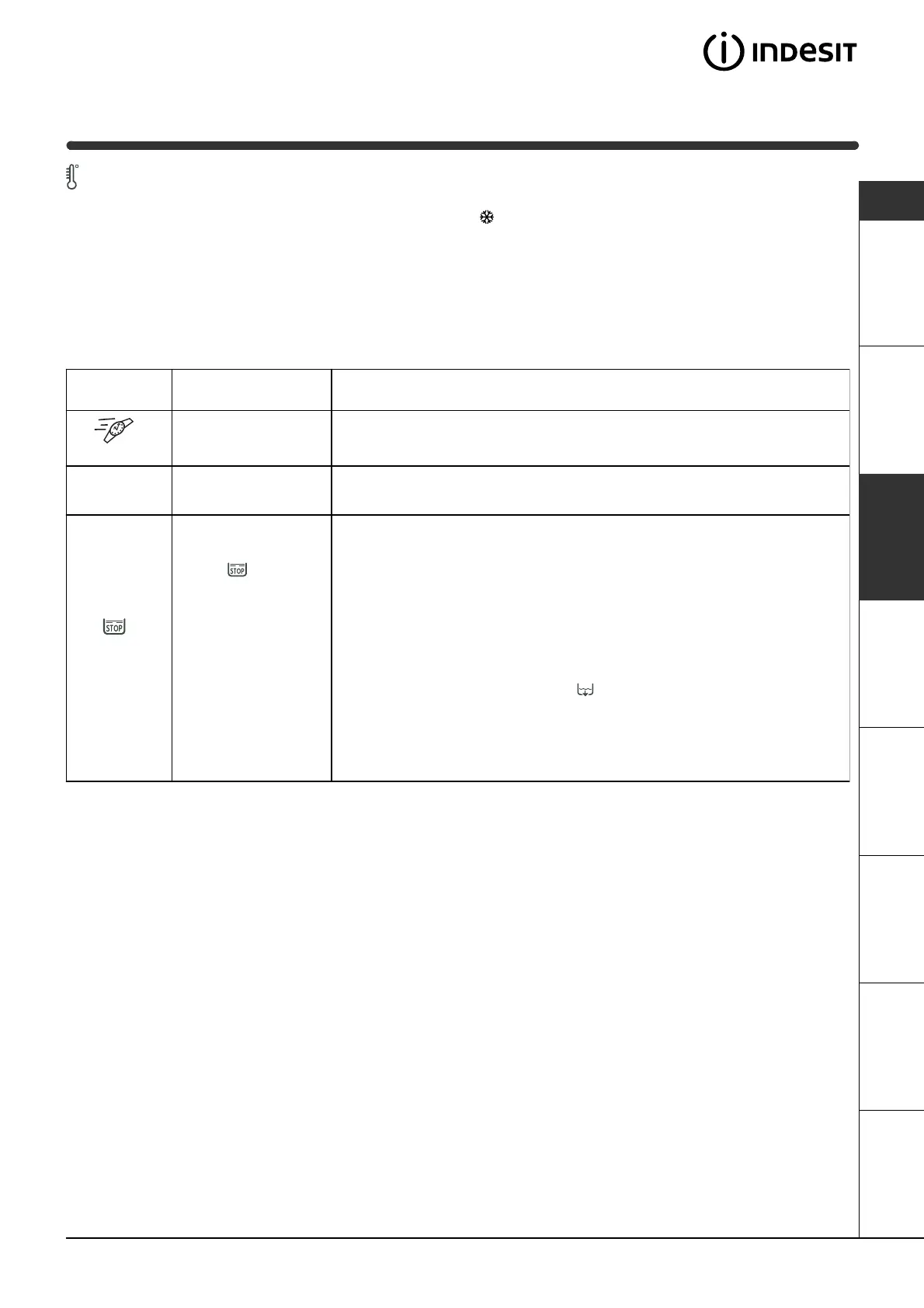
To enable the functions, press the button corresponding to the desired function, according to the table below.
Function Effect Comments
Rapid
Cuts the duration of
the wash cycle by
30%.
It cannot be used together with the programmes for wool and silk.
1200-600
Reduces the spin
speed.
Anti-
crease
This button allows
you to interrupt a
programme (on
symbol ) keeping
the washing soaking
in water before the
spin cycle. It is a very
useful button in
particular because it
can be used for
delicates and
synthetics. It is only
to be used with wash
program-mes for
synthetic fabrics, silk
and curtains when it
is impossible for you
to take the washing
out immediately.
Before opening the washing machine door, finish the wash cycle as
follows:
Silk and curtains:
press button
Anti-crease
and the washer will drain the
water.
Synthetic fabrics:
press button
Anti-crease
if you want a spin cycle, or
turn knob PROGRAMME to symbol if you want the water to be drained.


 To Next Page
 Loading...