EasyManua.ls Logo

Industrial Scientific MX6 iBrid - Page 2

Industrial Scientific MX6 iBrid
2 pages
Print Icon
To Previous Page IconTo Previous Page
Loading...
Industrial Scientific Corporation
1 Life Way; Pittsburgh, PA 15205-7500; USA
Phone: +1 412-788-4353; 1-800-DETECTS (338-3287)
www.indsci.com; info@indsci.com
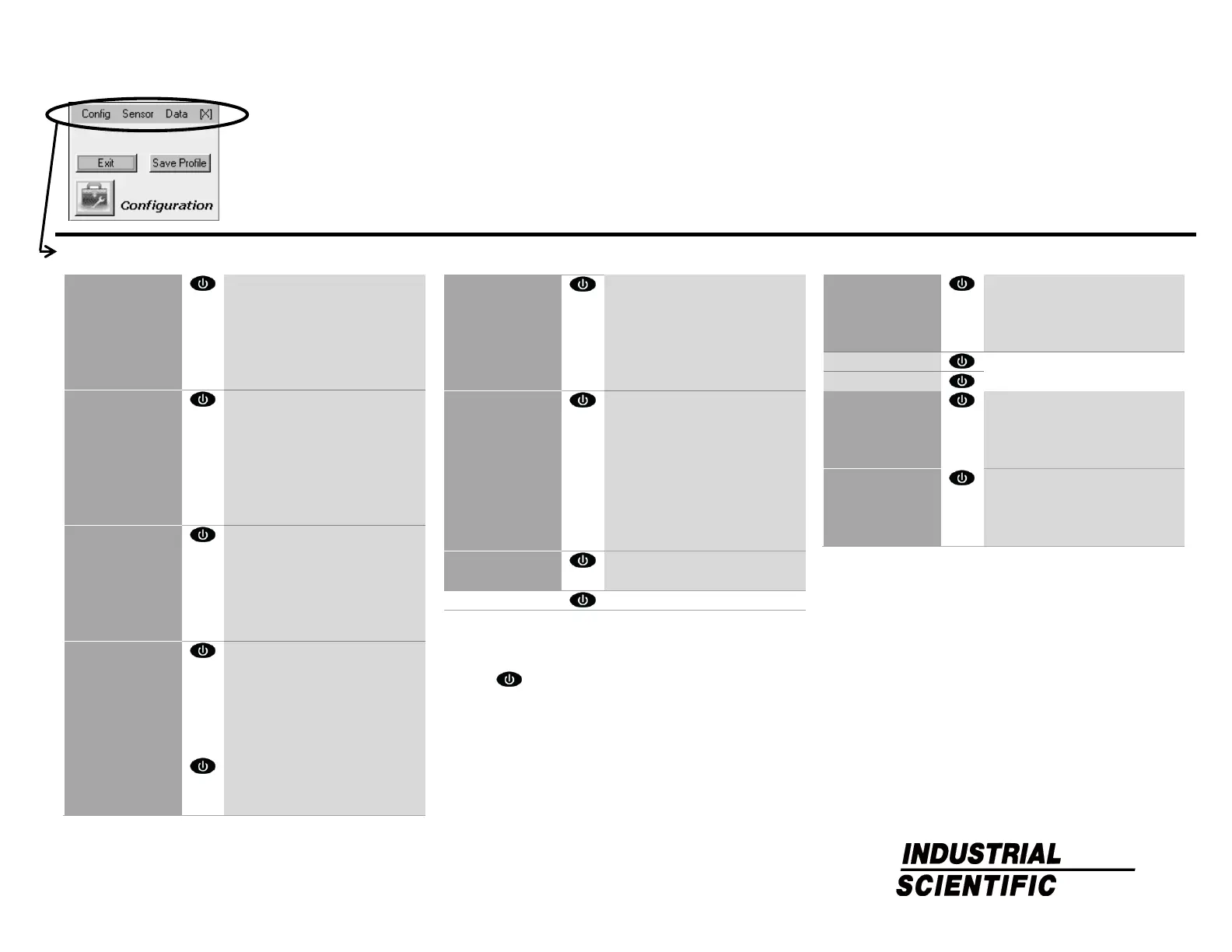
Configuration-mode Menu System
Warning: only qualified personnel should
access and work in the configuration mode.
Config
Sensor
Data
Admin
Password
Clock
Language
Company
Backlight
Defaults
Alarms
Audio
Visual
Vibrate
Latch
While Docked
Allow Shutdown
Confidence
Display
Time
Temp
Both (time and temp)
PID Factor
LEL Factor
Both (both factors)
Start-up
User
Company
Cal Date
Zero
Self-test
Bump
Profiles
Set
Save
Delete
Sensors
Sensor 1
c
Sensor 2
c
Sensor 3
c
Sensor 4
c
Sensor 5
c
Sensor 6
c
Options
Field Zero
d
Field Cal
d
Field Bump
d
Field Peaks
d
Cal Date
e
Cal Overdue
e
Bump Overdue
e
Bump Level
e
RF List
Favorite
Custom
Location
c
Enable or disable a sensor. Set alarm values (high, low, and
STEL) and the TWA time base. Set calibration gas values and
properties.
d
Press to enable or disable the feature.
e
Choose the display preference: date of the next or last (most
recent) calibration. Determine unit behavior when a calibration
is overdue: automatic shutdown, continued operation, or
continued operation with "cal overdue" user notification. Adjust
the bump test criteria.

Options
Overwrite
Interval
Field View
View Events
Mode
Clear
Users
Set Current
Add
Delete
Field Change
Sites
Set Current
Add
Delete
Field Change

Other manuals for Industrial Scientific MX6 iBrid