
 Need help?
Do you have a question about the Industrial Shields ESP32 PLC Series and is the answer not in the manual?
Lists models and their zone configurations (Zone 0, A, B, C).
Provides dimensions (Height, Width, Depth) and weight for each PLC model.
Explains zone naming and illustrates zone distribution schemes.
Details the characteristics of Communication, Analog, and Relay Shields.
Shows diagrams with dimensions for the PLC units.
Lists key features like input voltage, power, memory, and communications.
Details power supply, operating range, consumption, insulation, dielectric strength, and environmental specs.
Covers board, control method, I/O control, programming language, and microcontroller.
Explains standard symbols used for electrical and safety indicators.
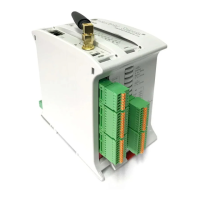
Identifies the ESP32 board as controller and specifies the manual's target audience.
Advises operating according to specifications and consulting representatives for critical applications.
Details Arduino IDE version and steps for adding Industrial Shields boards.
Guides on selecting the PLC family, model, and port in Arduino IDE.
Specifies voltage requirements and safety notes for connecting power.
Details Analog Input, Digital Isolated Input, Digital Isolated Output, etc., for each model.
Describes the pins and functions for the 0 Zone (communication).
Details I/O connections for Analog/Digital inputs and outputs.
Details I/O connections for Relay outputs and inputs.
Maps interrupt levels to Analog/Digital and Relay configurations.
Explains switch settings for USB/RS232 communication.
Details switch settings for Analog/Digital zones (ON/OFF for digital/analog output).
Details switch settings for Relay zones.
Describes I2C pins (SCL, SDA) and their usage.
Details SPI bus pins (MISO, MOSI, SCK) and their connections.
Explains RS-232 and RS-485 communication protocols and their implementation.
Details Ethernet controller and Bluetooth Low Energy (BLE) features.
Covers RTC module, I2C protocol, and pull-up configuration for pins.
Explains SPI usage for uSD and pin configuration requirements.
Illustrates the internal connections for I2C and SPI interfaces.
Details connecting the microUSB, configuring the boot switch, and uploading code.
Explains the final step of pulsing the reset button after code upload.
Illustrates the wiring for RS-232 communication between PLCs.
Illustrates the wiring for RS-485 communication between PLCs.
Specifies the use of SFTP CAT-6 Ethernet crossover cable for communication.
Shows wiring diagrams for digital isolated and non-isolated inputs.
Illustrates wiring for digital/analog inputs (digital and analog alimentation).
Depicts wiring for digital, digital/PWM, and analog outputs.
Provides article reference, height, pitch, dimensions, and pin spacing for PCB connectors.
Details article reference and conduit section sizes for I/O connectors.
Shows PLC dimensions and diagrams for DIN rail mounting.
Lists material properties, mechanical tests, and environmental ratings.
Provides guidelines for proper installation location and cabinet requirements.
Outlines factors for maintenance programs and safety rules for personnel.
Lists revision numbers, dates, and changes made to the document.
 General
| Microcontroller/CPU/Processor | ESP32 |
|---|---|
| Power Supply | 12-24V DC |
| Mounting | DIN Rail |
| Digital Inputs | Varies by model (typically 8-16) |
| Digital Outputs | Varies by model (typically 8-16) |
| Analog Inputs | Varies by model (e.g., 2, 6, 8). See specific model datasheet. |
| Analog Outputs | Varies by model (e.g., 1, 2). See specific model datasheet. |
| Communication Interfaces | WiFi, Bluetooth, Ethernet, RS485 |
| Operating Temperature | -10°C to 60°C |
| Dimensions | Varies by model |
| Programming | Arduino IDE |

 To Next Page